
Support email
support@syedshahbazhussain.com
Please include your Android device model, app version, and a short description of the issue.
Email SupportHydroFast support
Find help for HydroFast on Android, including water tracking, fasting sessions, hydration reminders, notification action buttons, Android home screen widget, progress insights, settings, and data stored on the device.
If you need help with HydroFast, use the support email below and include enough detail for the issue to be reviewed.
Support email
Please include your Android device model, app version, and a short description of the issue.
Email SupportHelp with quick add, custom water entries, daily goals, ml/oz units, and water logs.
Help with fasting plans, start, pause, resume, end, timer status, and fasting history.
Help with hydration reminders, fasting reminders, Android notifications, and snooze action.
Help with the home screen widget, hydration status, fasting status, and quick actions.
Help with Today, Week, Month views, hydration chart, fasting chart, history, and stats.
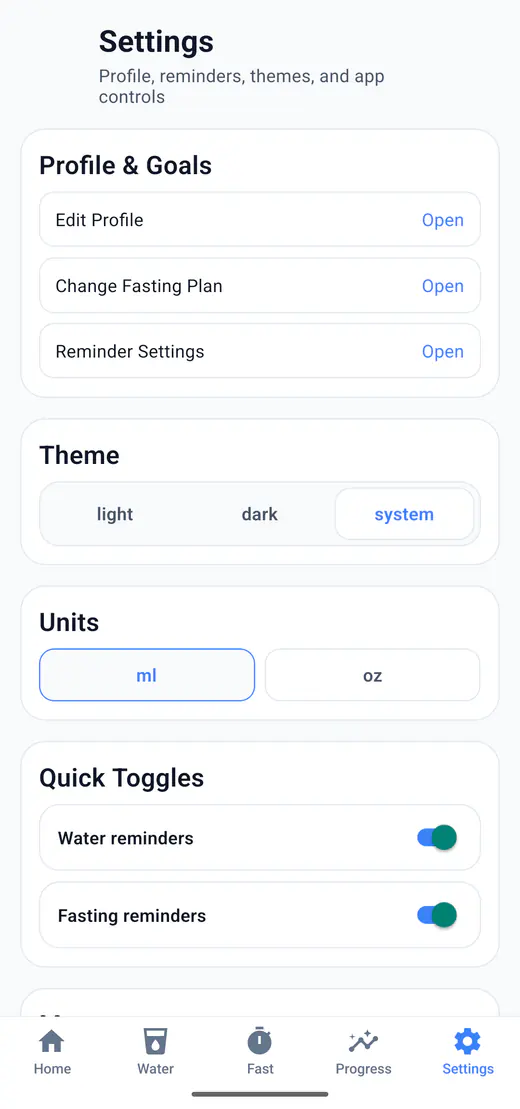
Help with theme mode, units, profile editing, reminder toggles, and reset data.
Learn what HydroFast stores on your device and how to clear it.
Read answers to common HydroFast questions.
This page is designed for HydroFast support, including Android water tracker support, fasting tracker support, and hydration reminder help.
HydroFast uses Android notifications for hydration reminders, fasting reminders, motivation reminders, and notification action buttons.
The HydroFast Android home screen widget shows hydration and fasting status, with shortcuts for common tracking actions.
HydroFast supports quick water logging, custom entries, daily goals, ml/oz units, edit/delete logs, progress rings, and hydration history.
HydroFast supports intermittent fasting sessions with standard plans and custom plans. Sessions can be started, paused, resumed, and ended at any point.
HydroFast settings allow users to personalize the app experience.
Switch between ml and oz display.
Use light, dark, or system theme mode.
Update profile and habit preferences.
Enable or disable reminder options.
Clear local tracking data when needed. Use this carefully.
HydroFast stores profile data, water logs, fasting sessions, settings, and reminder state on the device.
HydroFast is a wellness and habit tracking app. It does not provide medical advice, diagnosis, or treatment. Users should speak with a qualified healthcare professional before making major changes to hydration, fasting, diet, or health routines.
You can contact HydroFast support using the support email listed on this page.
Check that Android notification permission is allowed, reminders are enabled in HydroFast, and your reminder schedule is configured correctly.
Add the HydroFast widget from your Android home screen widget picker, then use it to view hydration status, fasting status, and quick actions.
Open settings and switch the unit between ml and oz. Existing logs are shown in the new unit.
Yes, through Reset All Data in settings. It clears your local tracking data and cannot be undone, so use it deliberately.
HydroFast stores profile data, logs, sessions, settings, and reminder state on the device.
No. HydroFast is a wellness and habit tracking app. It does not provide medical advice, diagnosis, or treatment.
Android app
Reminder timing, widget setup, ml and oz units, resetting data, and local storage are all covered in the guides and FAQ.
Clear Android habit tracking
HydroFast focuses on practical water, fasting, reminder, and progress tools without medical claims.