
An 8 fl oz glass
Enter 8
Use a custom entry for exactly 8 oz. The 8.5 oz quick button adds a slightly larger amount.
Hydration tracker for Android
Log a glass or bottle, see what remains toward your daily goal, and set reminders on Android. Choose US fluid ounces or milliliters. HydroFast is currently free, with no account required.
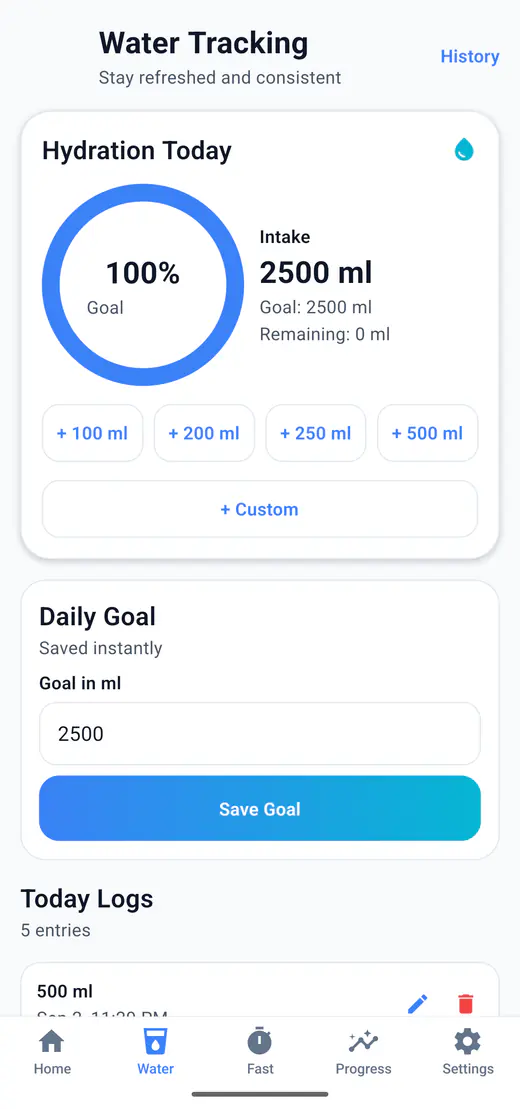
HydroFast records water intake against a daily goal and shows how much remains throughout the day. Quick entries keep regular logging practical on Android.
HydroFast works as a practical water intake tracker and daily water goal tracker for Android routines.
Glass and bottle examples
Choose oz under Settings → Units, then open Water → + Custom. Enter your amount in Amount (oz)and tap Save Intake. These examples use US fluid ounces.
Enter 8
Use a custom entry for exactly 8 oz. The 8.5 oz quick button adds a slightly larger amount.
Enter 20
Log 20 oz after drinking the whole bottle. Refilling it does not itself add an intake entry.
Enter 16
Half of 32 is 16. Record the amount consumed, rather than the bottle's full capacity.
These are logging examples, not daily water-goal recommendations.
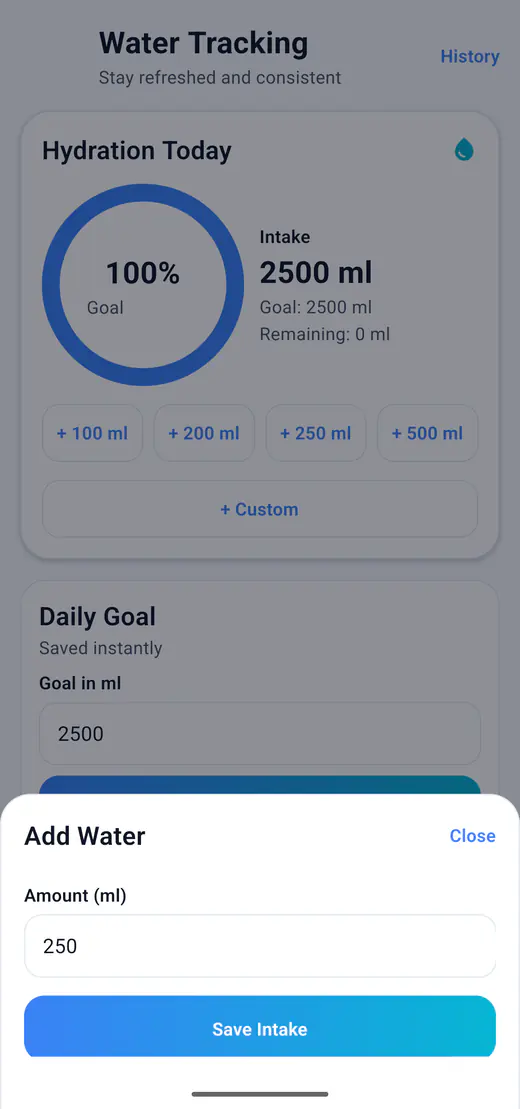
Finished a 500 mL bottle? Use the 16.9 oz quick button. The preset records 500 mL; its ounce label is rounded.
These are the same four presets in either unit. Saved logs can be edited or deleted if you record the wrong amount.
Currently free. No account required. Core tracking works offline after installation.
The day view answers three questions at a glance: how much you have logged, how much is left, and how close the goal is.
Set a target and track progress during the day.
See how much water is left to reach the goal.
Check the completed percentage quickly.
Visualize hydration progress with a simple ring.
Getting started
HydroFast uses US fluid ounces, a measure of volume. One fl oz is about 29.57 mL. The app labels this unit oz.
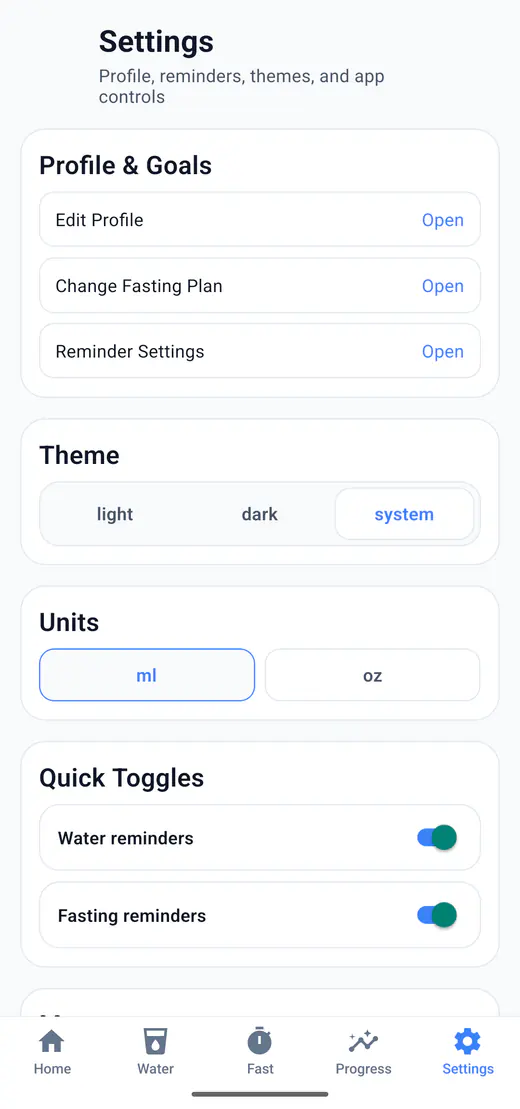
Open Settings, find Units, and tap oz. You can switch back to ml later; your recorded intake stays the same.
Open Water and tap + Custom. Type your amount in Amount (oz), then tap Save Intake. Use a preset instead when its amount matches what you drank.
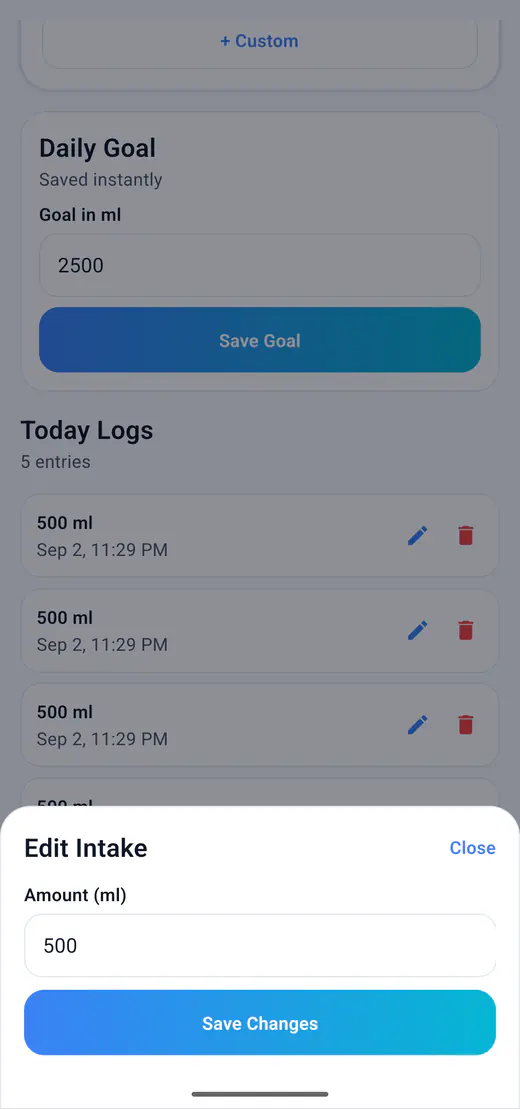
Set your daily goal in the Water screen and configure hydration reminders around your schedule. The goal is your chosen tracking target, not a medical recommendation.
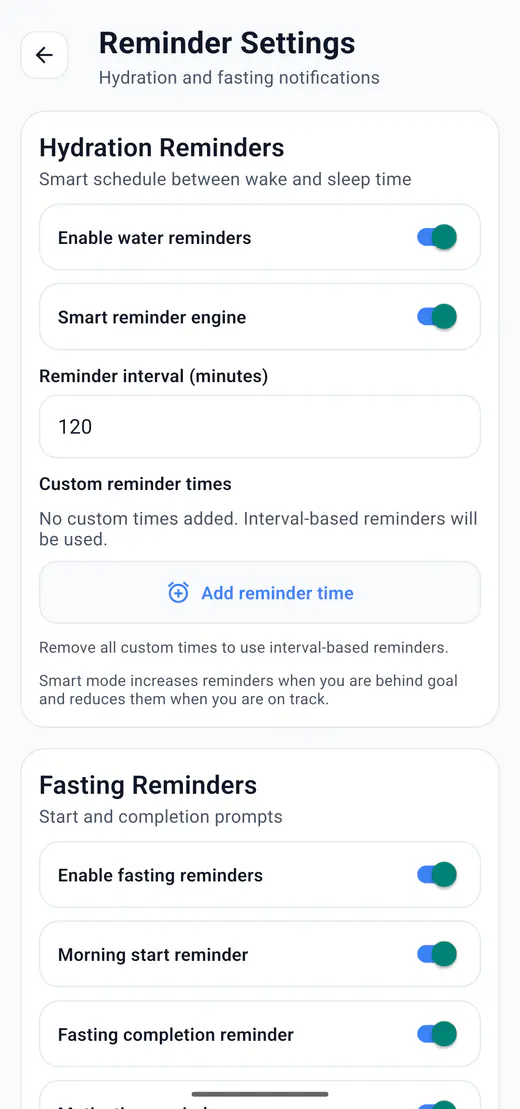
HydroFast includes Android hydration reminders to help users remember water intake during the day. Reminder settings can use intervals, custom time slots, and smart adaptive behavior based on progress.
HydroFast uses Android notifications for reminders. It does not need a remote push backend for daily hydration reminder scheduling.
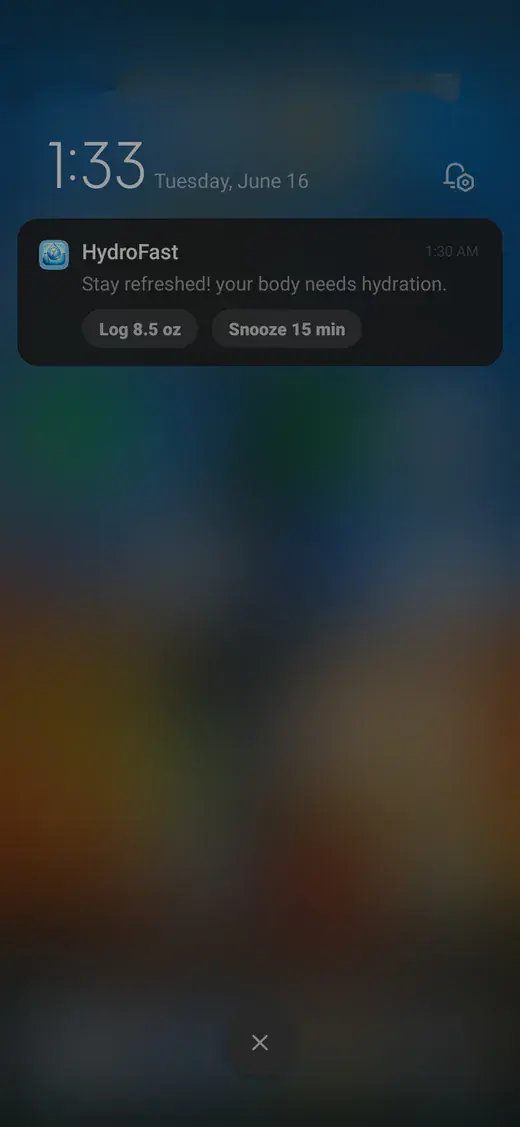
Two shortcuts cover most logging: the button on a reminder notification, and the home screen widget.
Use the notification action button to add water quickly.
Delay a hydration reminder when it is not the right time.
Use widget quick actions to track water without opening the full app.
Daily history and progress views show when water was logged and how intake changes over time.
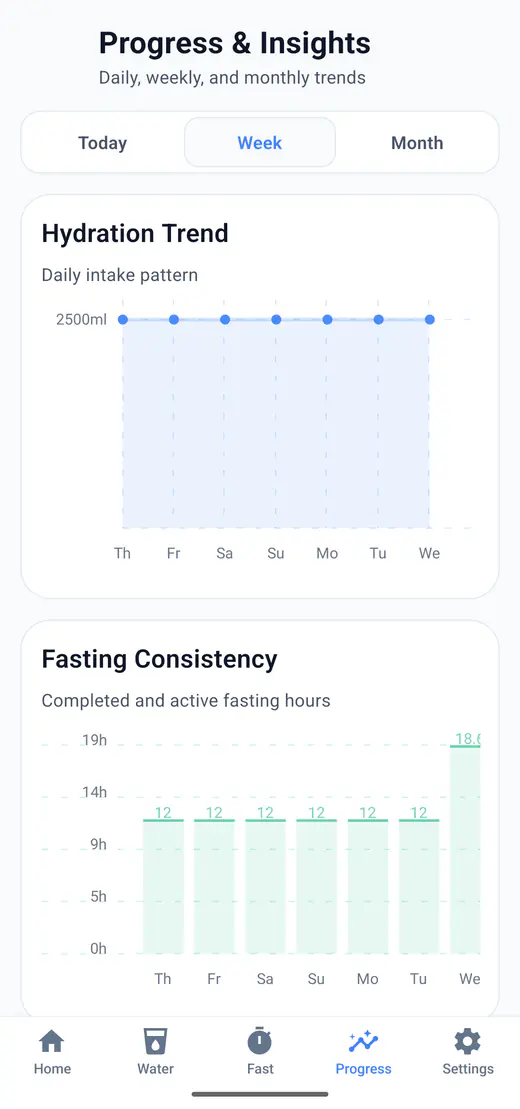
Water intake, fasting sessions, reminders, history, streaks, and progress all live in the same app, so the two habits share one record instead of two.
HydroFast is an Android water tracker for logging daily intake, setting a water goal, checking progress, and reviewing hydration history.
Yes. In HydroFast, open Settings, find Units, and choose oz. Water amounts use US fluid ounces, with 1 fl oz equal to about 29.57 mL. You can switch back to ml without changing the amount of water recorded in your history.
Choose oz under Settings > Units. Open Water, tap + Custom, enter 8 or 20 in Amount (oz), then tap Save Intake. Log only what you drank: half of a 32 US fl oz bottle is 16 oz. The 8.5 oz quick button records 250 mL, so use a custom entry for exactly 8 oz.
Yes. HydroFast is currently free to use on Android, with no purchase required for water tracking, fasting timers, reminders, or progress history.
Yes. Core water and fasting tracking works from data stored on your device, and reminders are scheduled locally. Downloading the app and sending a Help and Support request require internet access. There is no cloud sync or backup-and-restore feature.
Yes. Four preset buttons cover 100 ml, 200 ml, 250 ml, and 500 ml; anything else goes in as a custom entry.
Yes. Saved entries can be corrected or removed, so a mistyped amount does not stay in your history.
Yes. Choose a repeating interval or your own times, and reminders can adapt to how much you have already logged.
Yes. A Log water button on the reminder records the amount without opening the app.
Yes. The widget shows your hydration status and carries an add water shortcut.
Android app
Log a glass in one tap, follow a daily goal in ml or oz, and keep hydration reminders running on Android.
Clear Android habit tracking
HydroFast focuses on practical water, fasting, reminder, and progress tools without medical claims.