
Complete Wellness
Hydration, fasting, streaks, and progress together in one report.
Reports and insights for Android
HydroFast can summarise what you have already tracked into a Complete Wellness, Hydration, or Fasting report, then save, share, or open it as a PDF. The report is prepared on your device from data that is already stored there.
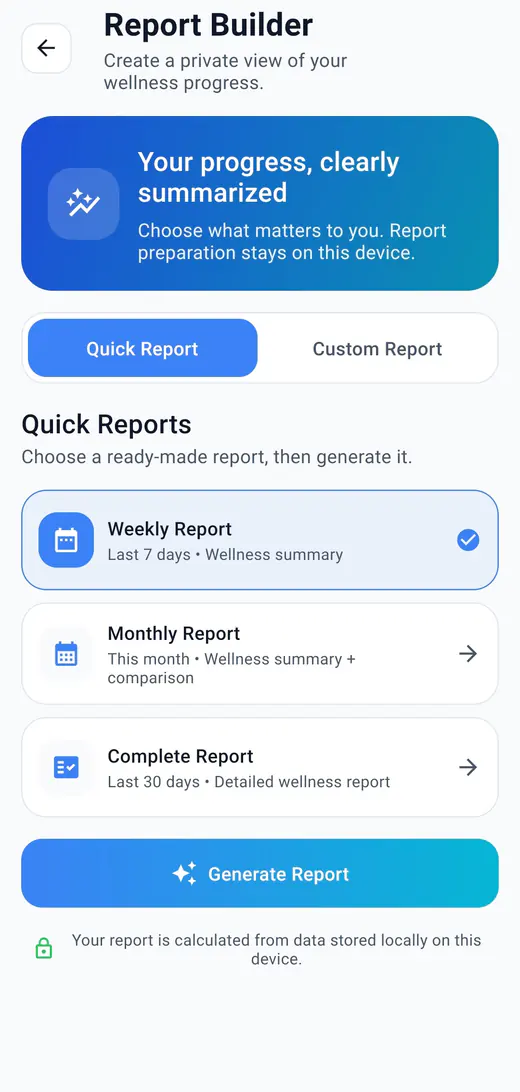
A report is a summary of activity you have already logged, prepared for a date range you choose and exportable as a PDF. It does not add new tracking; it reorganises what is already in your history so a period is easier to read in one go.
Reports are reached from the Progress tab, where a Reports and Insights card sits above the hydration and fasting charts.
Quick reports are ready made: a weekly summary of the last 7 days, a monthly summary for this month with a comparison, or a complete report covering the last 30 days. Custom reports let you set every part yourself.
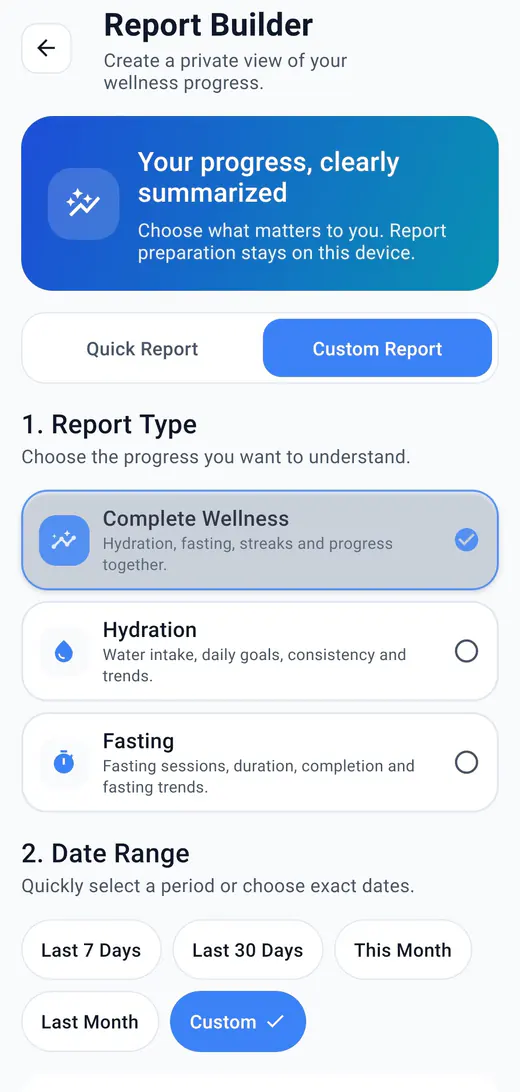
Hydration, fasting, streaks, and progress together in one report.
Water intake, daily goals, consistency, and trends.
Fasting sessions, duration, completion, and fasting trends.
A report is either a Summary or a Detailed version. Detailed adds the day by day breakdown, and it covers ranges of up to 365 days, while a Summary can span a longer stretch of your history.
Before generating, each section can be switched on or off, so a report stays focused on the part of the routine you are reviewing.
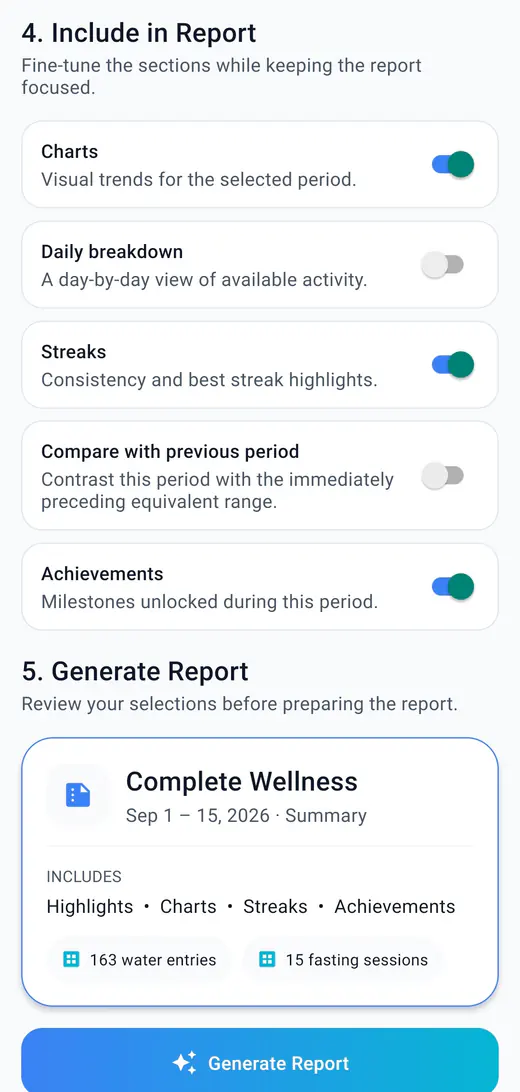
Visual trends for the selected period.
A day by day view of available activity.
Consistency and best streak highlights.
Contrast the range with the one immediately before it.
Milestones unlocked during the period, on Complete Wellness reports.
A hydration report covers intake totals, daily averages, goal days, best streak, highest day, and a trend chart. A fasting report separates completed sessions from ones ended early, with completion rate, total and average completed time, best streak, and the longest completed fast.
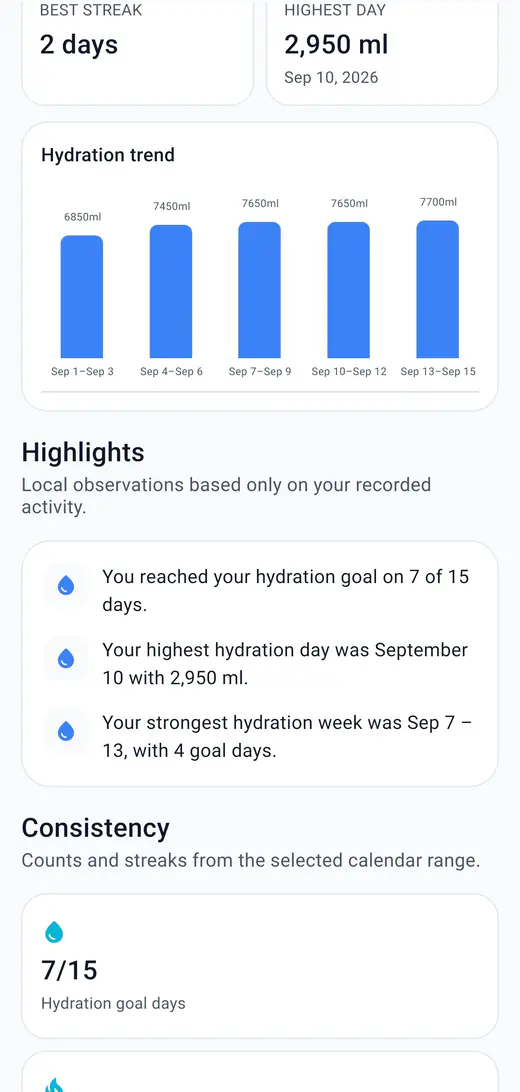
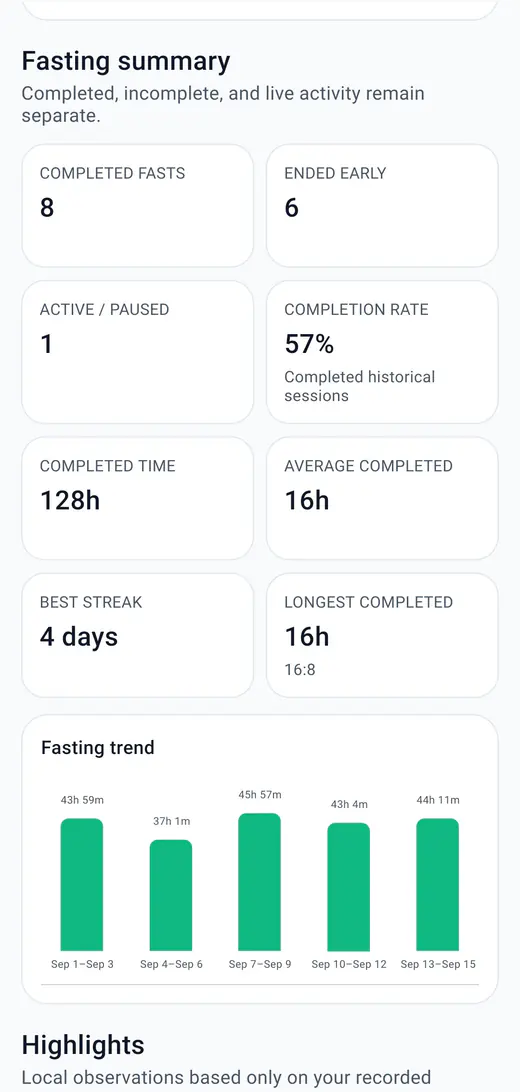
The preview shows the same values that go into the PDF, so nothing is generated before you have seen it. From there the PDF can be saved, shared, or opened.
Writes the file through Android's folder picker, so you choose where it lands.
Hands the file to another app through the Android share sheet, only when you choose to.
Opens the report on the device for a closer look.
A report can contain personal hydration and fasting activity, so it is worth reading before sending it anywhere. Once you share a PDF with another app, that destination handles it under its own privacy practices. The HydroFast Privacy Policy covers this in more detail.
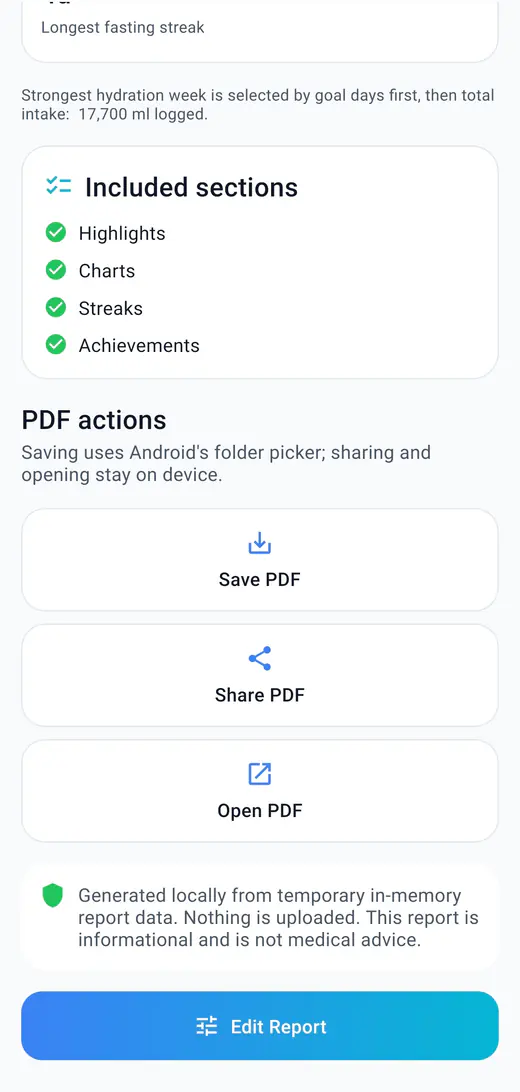
The exported file is headed as a private local report and records the range, the generation time, and the display unit. It carries highlights, hydration and fasting summaries, trend charts, and any achievements unlocked in the period.
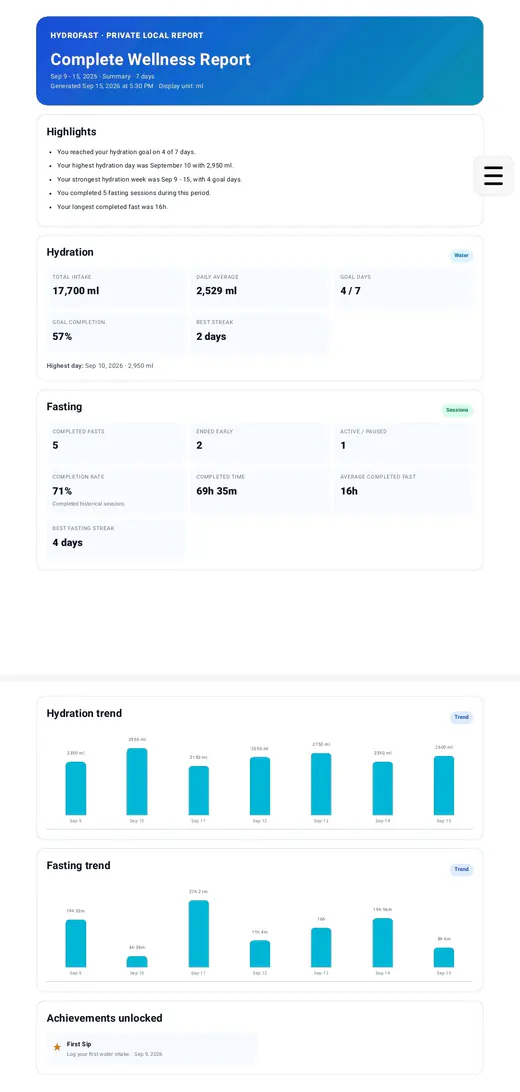
Units follow the ml or oz preference set in HydroFast settings, so the PDF matches how you read intake in the app.
Where reports fit
Reports summarise hydration logs, fasting sessions, streaks, and achievements. The pages below cover where that activity comes from.
Quick water logging, daily goals, ml and oz units, and intake history.
Fasting plans, the live timer, session controls, and completed session history.
Today, Week, and Month views, charts, and the history timeline.
The streaks and milestones a report can include.
How a PDF report differs from a spreadsheet or a backup, and what each one is good for.
How to read your own intake pattern and keep logging consistent.
Compare 12:12 through OMAD before deciding what a fasting report should measure.
Clear answers
Reports turn the hydration and fasting activity you have already logged into a readable summary you can keep as a PDF. You choose the report type, the date range, and which sections to include.
Three: Complete Wellness, which covers hydration and fasting together, Hydration on its own, and Fasting on its own.
No. The Report Builder states that preparation stays on the device, and the finished report notes that it is generated locally from temporary in-memory data and that nothing is uploaded.
Quick reports cover the last 7 days, this month, or the last 30 days. A custom report can use Last 7 Days, Last 30 Days, This Month, Last Month, or an exact start and end date you pick.
Save PDF writes it through Android's folder picker, Share PDF hands it to another app through the Android share sheet, and Open PDF views it on the device. Sharing only happens when you choose it.
Highlights drawn from your own recorded activity, hydration figures such as total intake, daily average, goal days and best streak, fasting figures such as completed fasts, completion rate and longest completed fast, plus trend charts and any achievements unlocked in the period.
No. The report itself states that it is informational and not medical advice. HydroFast is a wellness and habit tracking app.
HydroFast is a wellness and habit tracking app. A report summarises activity you recorded yourself and is informational only. It does not provide medical advice, diagnosis, or treatment, and it is not a clinical record.
Android app
Generate a weekly, monthly, or custom PDF report from the hydration and fasting activity already on your device.
Clear Android habit tracking
HydroFast focuses on practical water, fasting, reminder, and progress tools without medical claims.