
12:12
Balanced fasting and eating windows for beginners.
Intermittent fasting tracker for Android
Start, pause, resume, and end a fast on Android. Forgot to start the timer? Record when your fast began using a custom start time. Keep water intake, reminders, and fasting history together, with no account required.
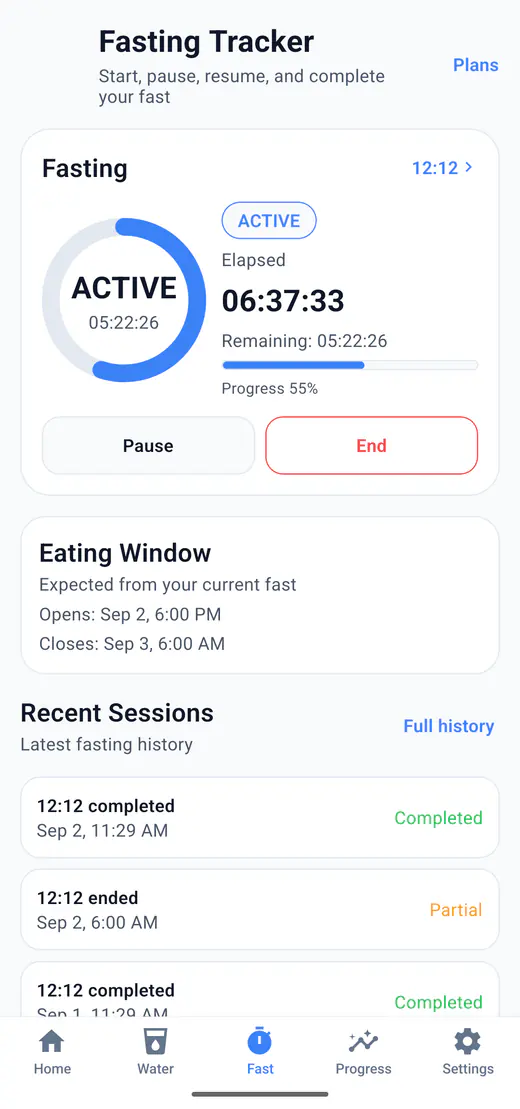
HydroFast runs intermittent fasting sessions on Android with a live timer, flexible plans, reminders, history, and progress views. Water tracking is available in the same app.
HydroFast is built as a fasting tracker app for Android and intermittent fasting timer while also supporting hydration tracking in the same app.
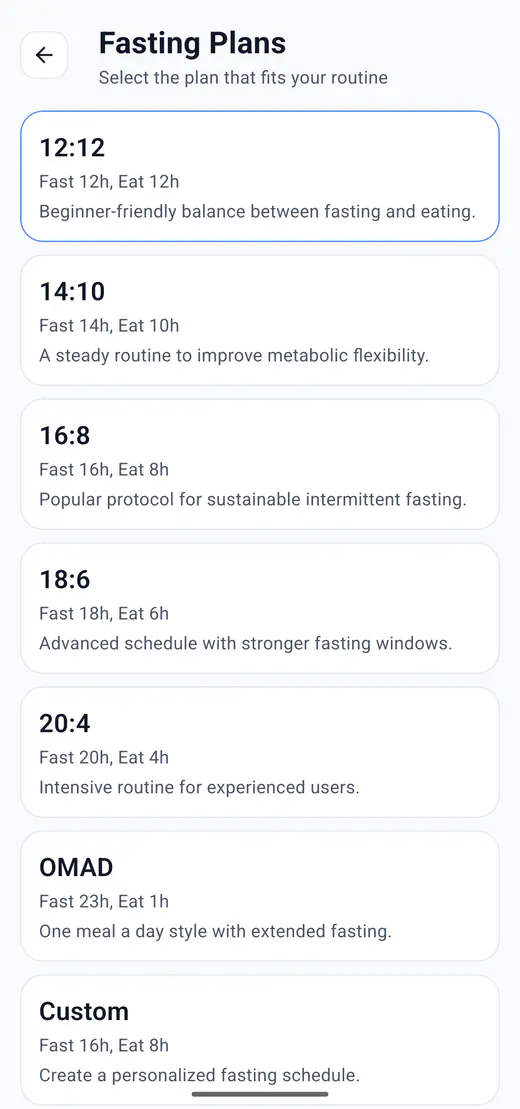
Choose a preset or set custom fasting and eating windows that total 24 hours. Fasting is optional during setup; select a plan when you are ready to use the timer.
Balanced fasting and eating windows for beginners.
A gentle step toward longer fasting routines.
A popular intermittent fasting schedule with a 16-hour fast.
A longer fasting window for users who prefer fewer eating hours.
A focused fasting routine with a shorter eating window.
One Meal A Day style fasting support.
Create a custom fasting and eating window that completes 24 hours.
HydroFast supports custom plan validation so fasting hours plus eating hours always equal 24 hours.
Getting started
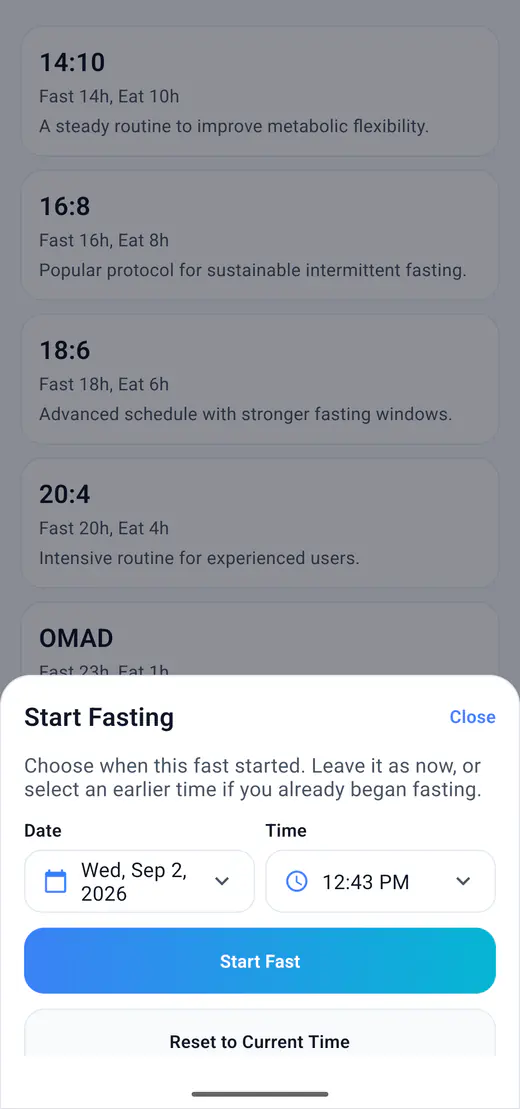
You can give a new session the date and time when your fast actually began. You do not need to pretend the fast started when you opened the app.
Open the fasting plan screen and choose a preset or a custom plan. The plan determines the target duration.
Tap Set custom start time and choose a past date and time. Future start times are not accepted.
Start the fast with that time and check the timer. Pause and resume remain available. This flow creates a session; it does not change an existing session's start time.
HydroFast gives users simple fasting controls and clear session states so they always know whether a fast is idle, active, paused, or completed.
Begin a fasting session based on the selected fasting plan.
Pause an active session when needed.
Continue a paused fasting session.
Finish a fasting session and save it to history.
See how long the current fast has been running.
See how much time remains in the fasting window.
The selected plan and active session show whether you are fasting, eating, paused, or finished.
Know when the fasting period is active.
See when the eating window is expected.
Understand whether a session is active, paused, or completed.
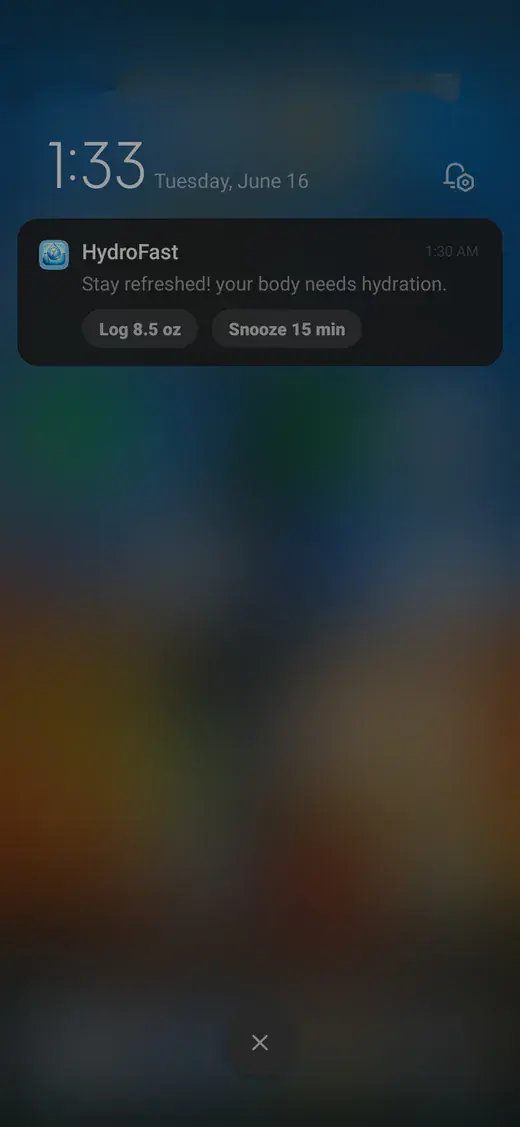
Fasting reminders arrive as ordinary Android notifications, scheduled on the device rather than through a remote push service. There are prompts for the start of a fast, its completion, and a gentler nudge during the day.
Receive an optional prompt at your profile's wake time when a fasting plan is saved.
Get notified when a fasting session reaches completion.
Receive a gentle reminder during the day.
Start Fast uses your saved plan; End Fast ends the current session. The app's snooze action belongs to water reminders.
HydroFast supports fasting start and completion alerts through Android notification scheduling.
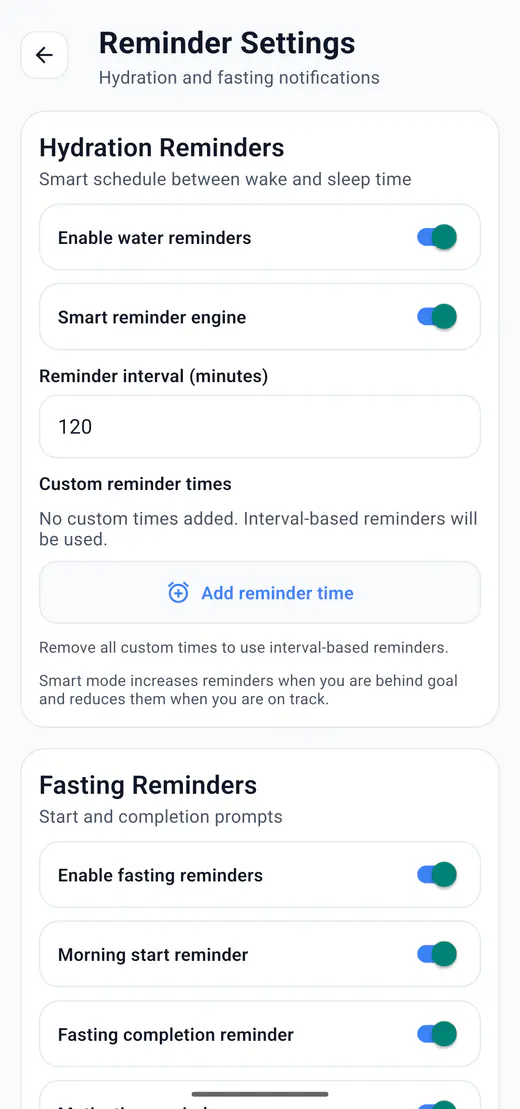
The fasting reminder app for Android guide explains schedule examples, notification actions, and delivery troubleshooting.
Start and end a fast from the buttons on a notification, or check where the current session stands from the home screen widget.
Start a fasting session from an Android notification.
End a fasting session from an Android notification.
View active fasting status from the Android home screen widget.
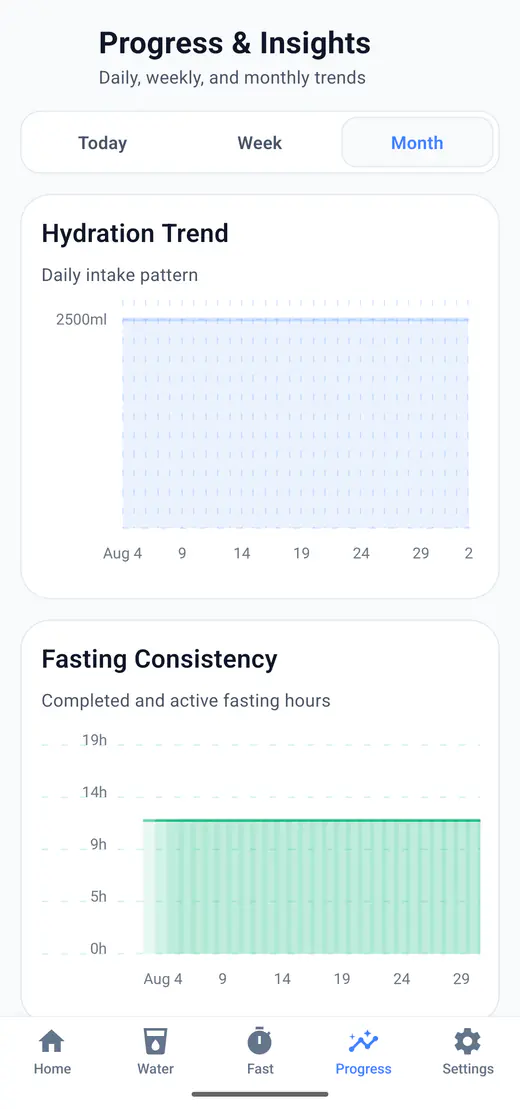
Session history, charts, and total fasting hours provide a clear record of your routine over time.
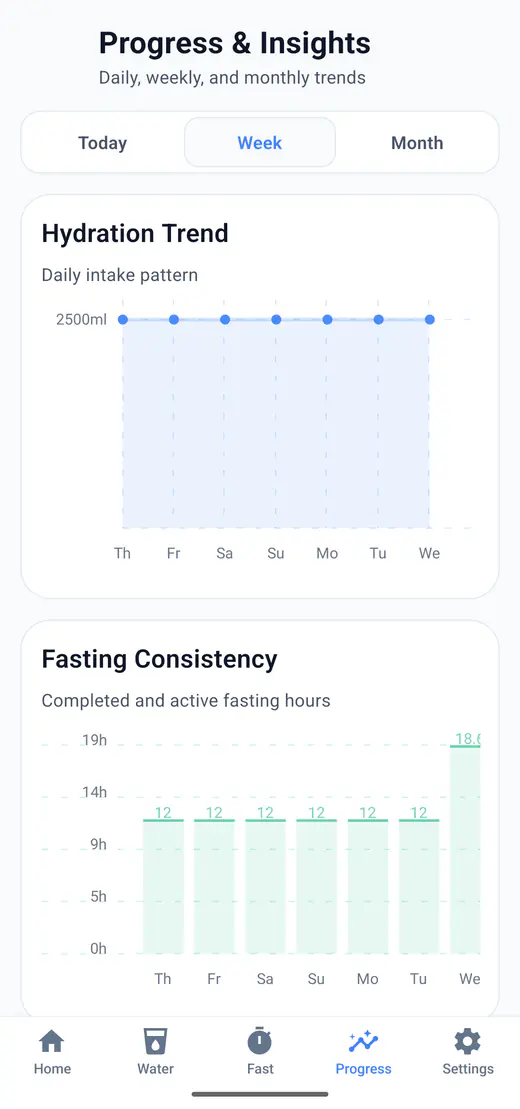
HydroFast is more than a fasting tracker app for Android. It also includes water intake tracking, hydration reminders, progress charts, history, streaks, achievements, and daily wellness tools in one app.
HydroFast supports users looking for a 16:8 fasting tracker and OMAD fasting tracker while keeping hydration and reminders connected in the same routine.
Yes. Before starting a session, select a fasting plan and choose Set custom start time. Pick the date and time when your fast began, then start the session. Future start times are not accepted. This sets a new session's start time; it does not edit an existing fast.
Yes. HydroFast is currently free to use on Android, with no purchase required for water tracking, fasting timers, reminders, or progress history.
No. You complete a local profile setup, but do not create an account or sign in. Tracking data stays on your device. Sending a voluntary Help and Support request shares the information needed to handle that request.
HydroFast is an Android fasting tracker with start, pause, resume, and end controls, plus a live timer and progress history.
Yes. 16:8 is one of the presets, next to 12:12, 14:10, 18:6, 20:4, OMAD, and a custom plan.
Yes. Set your own fasting and eating hours; the two windows have to add up to 24 hours before the plan saves.
Yes. Pausing keeps the session open so you can pick it up again instead of starting over.
Yes. Elapsed and remaining time stay on screen, along with the current status and when the eating window opens.
Yes, for both ends of a session: one to begin, one when the fast completes.
Yes. Start Fast and End Fast are buttons on the notification itself.
Yes. Completed sessions stay in your history, and progress rolls them up into charts and total hours.
No. HydroFast is a wellness and habit tracking app. It does not provide medical advice, diagnosis, or treatment.
Android app
Pick a plan from 12:12 to OMAD, run the timer with pause and resume, and keep every finished session in your history.
Clear Android habit tracking
HydroFast focuses on practical water, fasting, reminder, and progress tools without medical claims.