
Which app should you shortlist?
Consider HydroFast for free tracking without an account, BodyFast if optional paid coaching interests you, or Fastic if you also want food logging. These are choices by feature preference, not a universal ranking.
This guide uses “water fasting app” to mean a water tracker with an intermittent fasting timer. It does not recommend prolonged water-only fasts or assess their safety.
How this comparison was checked
Disclosure: I develop HydroFast and publish this guide on its website. On , I reviewed the three apps’ official Google Play descriptions and BodyFast’s free-feature documentation. The links below let you check those sources yourself.
This is a documentation-based comparison. I did not perform hands-on competitor tests, purchase their subscriptions, or benchmark reminder reliability. HydroFast’s examples use its existing app screenshots and documented behavior. Unverified details stay labeled as unverified; they do not mean a competitor lacks a feature.
Exact US subscription prices and offers were not verified. Check the price, billing period, renewal terms, and included features displayed to you before purchasing.
HydroFast vs BodyFast vs Fastic
On a narrow screen, scroll the table sideways. Keyboard users can focus it and use the arrow keys.
| What matters | HydroFast | BodyFast | Fastic |
|---|---|---|---|
| Access | Currently free; no purchase required. | Free tracking; Coach subscription optional. | In-app purchases; Plus unlocks full access. |
| Fasting | Timer, preset and custom plans, past start time. | Free clock, reminders, and 10+ plans. | Intermittent fasting tools listed. |
| Water | Quick and custom amounts; editable entries. | Water tracker included in free version. | Water tracker and reminders listed; free-tier limits not verified. |
| US fluid ounces | Choose oz in Settings; ml also supported. | Not verified in the reviewed sources. | Not verified in the reviewed sources. |
| Additional tools | Combined history, progress charts, Android widget. | Paid Coach adds personalized plans and challenges. | Food logging; Plus includes recipes and advanced scanners. |
HydroFast: tracking without an account
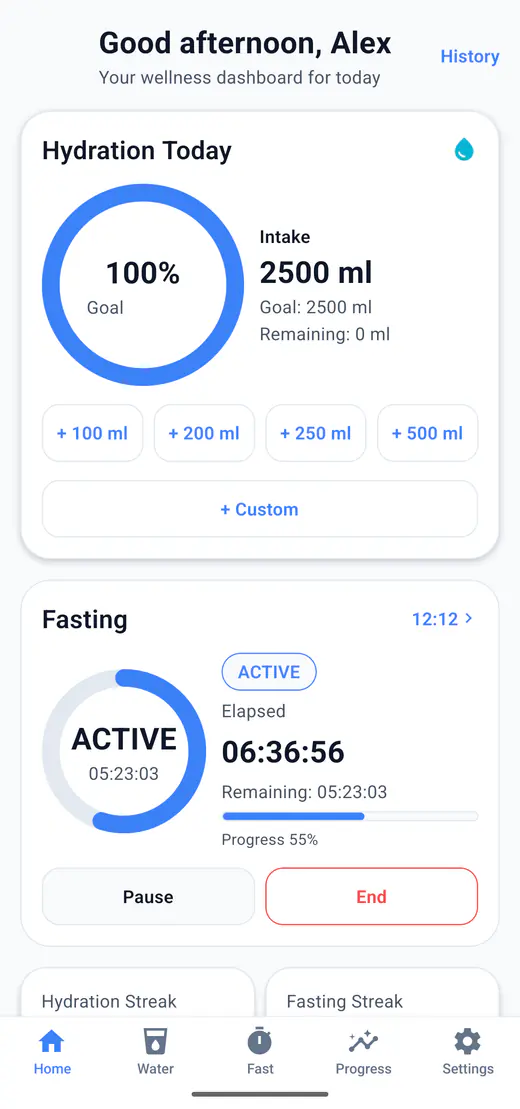
HydroFast keeps water entries, fasting sessions, reminders, and progress in one Android app. Core tracking is currently free and works offline after installation. You complete a local profile rather than registering an account. See the official Google Play listing and account and offline guide.
Tradeoff: there is no cloud sync or backup-and-restore feature. Resetting app data can remove your history. A voluntary support request sends the submitted information to the support service; “offline tracking” does not mean that every app action stays on the phone. See the privacy policy.
Two everyday tasks to compare
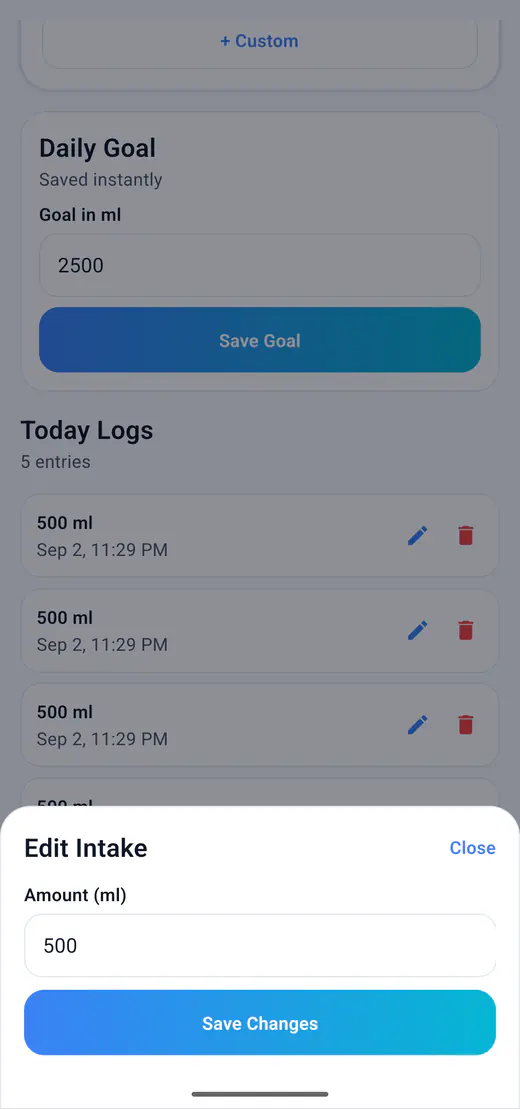
Correct a water entry
Open Water, find the saved entry, and use its edit control to correct the amount. For US units, choose Settings → Units → oz. The fixed 250 mL quick-add displays as 8.5 oz; use custom entry for a different amount.
Record an earlier fasting start
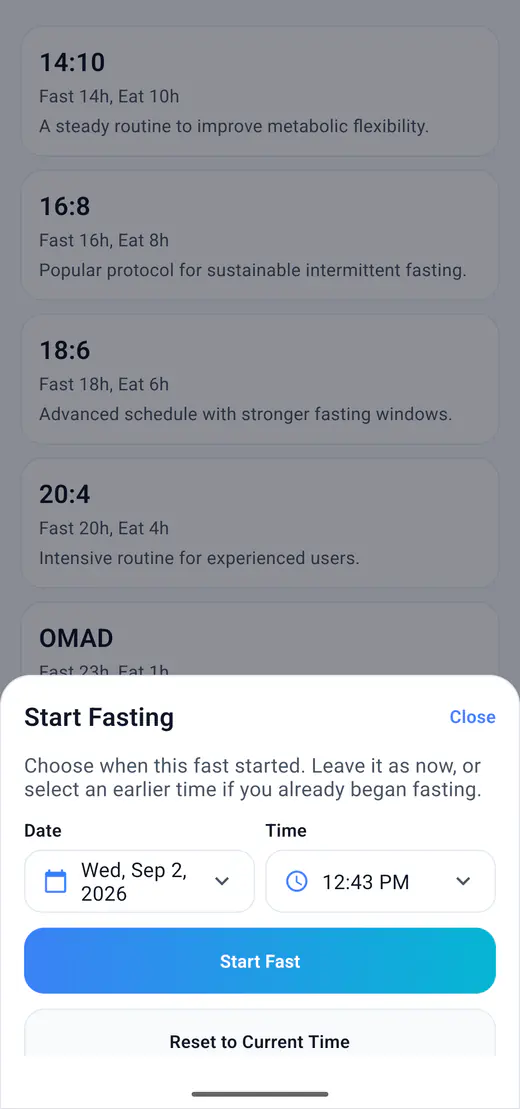
Before starting a new session, select your plan and choose Set custom start time. Enter when you actually began, then start the session. Future times are rejected; this does not change an already active session’s start time.
BodyFast: free basics with optional coaching
BodyFast documents a free fasting clock, reminders, more than ten plans, water logging, and weight progress. Its paid Coach adds personalized weekly plans and challenges. Sources: BodyFast’s free-feature guide and Android listing.
Consider it if: you want to try basic tracking and evaluate a coaching subscription later. Check first: whether your preferred schedule needs Coach and what its current US renewal price is. This comparison does not independently verify the effectiveness of its coaching.
Fastic: fasting alongside food tracking
Fastic lists fasting tools, water tracking, reminders, and food logging. Its Plus subscription includes recipes and advanced food and menu scanners. Source: Fastic’s Android listing.
Consider it if: you want to evaluate nutrition tools alongside a timer.Check first: the free-tier limits for the exact tools you need and the current Plus offer. We have not verified those limits or scanner accuracy, so this guide does not rate either.
Check these details on your own phone
A feature list cannot tell you how well an app fits your day. Before committing to a subscription or a long history:
- Units: find US fluid ounces, enter your usual bottle amount, and check whether correcting a mistaken entry is straightforward.
- Timing: inspect plan choices and whether a forgotten start can be recorded accurately.
- Reminders: allow Android notifications, choose a suitable time, and check delivery on your device.
- Data: check account requirements, offline behavior, deletion, and what happens when you replace your phone.
- Cost: verify that the features you need remain available without starting a trial or subscription you do not want.
These are suggested checks, not results from a competitor test. For HydroFast shortcuts, the Android widget guide explains setup and its fixed 250 mL water action.
A tracker does not supervise a fast
HydroFast is a wellness and habit-tracking app. It does not provide medical advice, diagnosis, treatment, or medically supervised fasting plans. This comparison evaluates tracking features, not health outcomes. A countdown is not an assessment of whether a fasting routine is appropriate for you.
Questions about water fasting apps
What is the best water fasting app for Android?
It depends on the tools you need. HydroFast offers free water and fasting tracking without an account. BodyFast includes free tracking with an optional paid Coach. Fastic combines fasting and water tools with food logging and paid Plus features. This guide compares documented features, not medical results or hands-on performance.
Is HydroFast free to use?
Yes. HydroFast is currently free to use on Android, with no purchase required for water tracking, fasting timers, reminders, or progress history.
Can I track water in ounces instead of milliliters?
Yes. In HydroFast, open Settings, find Units, and choose oz. Water amounts use US fluid ounces, with 1 fl oz equal to about 29.57 mL. You can switch back to ml without changing the amount of water recorded in your history.
Does HydroFast work offline?
Yes. Core water and fasting tracking works from data stored on your device, and reminders are scheduled locally. Downloading the app and sending a Help and Support request require internet access. There is no cloud sync or backup-and-restore feature.
Can I log water while the HydroFast fasting timer is running?
Yes. You can add water in the Water tab while a fasting session is active, then review water entries and fasting sessions in History. Logging water does not require ending the timer.
Does HydroFast supervise water-only fasting?
No. HydroFast records water intake and intermittent fasting sessions. It does not provide medical advice, diagnosis, treatment, or medically supervised fasting plans. A timer does not establish whether a fast is appropriate for you.