
Quick answer
The best water tracker app for Android should be simple to use every day. Look for quick add buttons, custom water entry, daily goal tracking, ml/oz support, hydration reminders, progress insights, history, and Android-friendly quick actions.
HydroFast is currently free to use on Android and combines water tracking with fasting tracking, reminders, progress insights, and quick actions.
1. Fast water logging
Water tracking only works when logging feels easy. If adding water takes too many steps, users are more likely to skip it.
- Quick add buttons for common amounts
- Custom water entry
- Edit and delete logs
- Simple daily summary
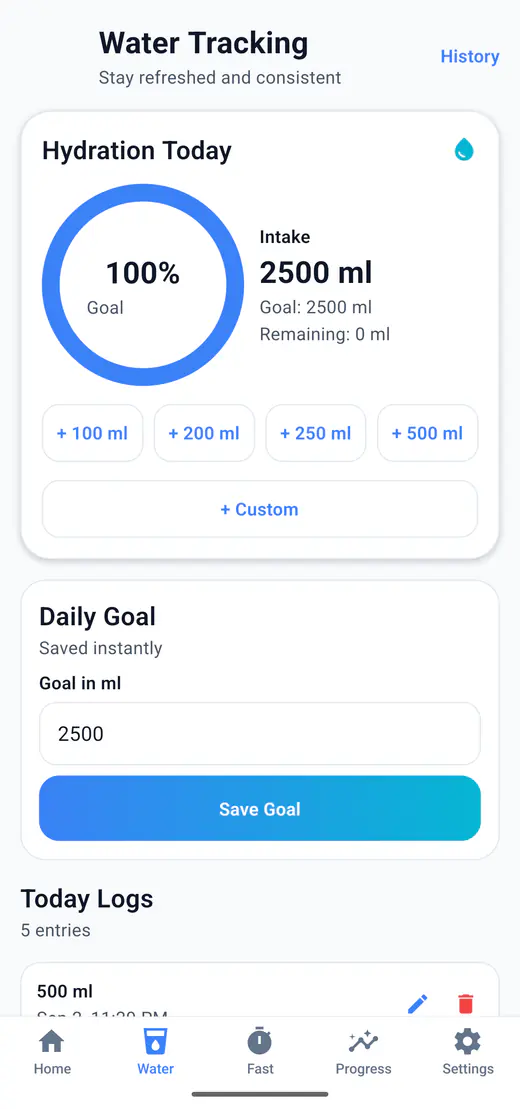
HydroFast supports quick add amounts such as 100 ml, 200 ml, 250 ml, and 500 ml, plus custom water entry.
2. Clear daily water goal tracking
A good water intake tracker should show how much water you have logged, how much remains, and how close you are to your daily goal.
- Daily water goal
- Remaining water
- Progress percentage
- Visual progress ring
3. ml and oz support
Different users prefer different units. A flexible hydration tracker should support both milliliters and ounces.
HydroFast supports ml and oz display, making it easier for users in different regions to track water in the unit they prefer.
4. Hydration reminders
Reminders can help users remember to log water during busy days. The best reminder experience should be flexible, not annoying.
- Interval reminders
- Custom reminder times
- Smart adaptive reminder behavior
- Snooze support
- Android local notifications
5. Progress insights and history
A single day tells you very little. The value shows up once there is a week or a month to look back on.
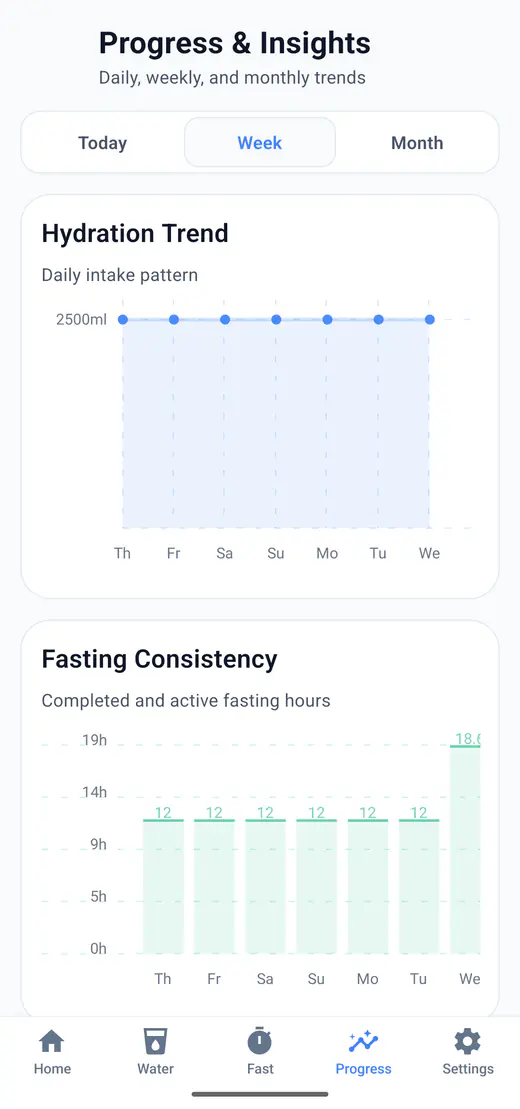
- Hydration trend chart
- Today, Week, and Month insights
- Water log history
- Completion stats
- Streak support
6. Android quick actions and widget support
Android users benefit from faster tracking options like notification action buttons and home screen widgets.
HydroFast includes Android notification actions and a home screen widget. These shortcuts make it quicker to log water or check hydration status.
Why track water and fasting in one app?
Many users who track fasting also want to stay aware of water intake. Using one app for both habits can make daily tracking simpler.
HydroFast combines hydration tracking, intermittent fasting tracking, reminders, progress insights, streaks, achievements, and an Android widget in one app.
Fasting Tracker
Explore fasting plans, session controls, reminders, and progress history.
Features
See how HydroFast combines water tracking, fasting, reminders, progress, and Android quick actions.
Compare water fasting apps
See how combined fasting, hydration, reminder, history, and progress features differ by app category.
Understand fasting reminders
Review fasting start and completion alerts, notification actions, and Android troubleshooting.
Water tracker app checklist
Quick add water
Custom water entry
Daily water goal
ml/oz support
Hydration reminders
Progress insights
History
Android widget
Simple design
Water tracker app FAQ
What should a good water tracker app for Android include?
A good water tracker app for Android should include quick water logging, custom entries, daily goals, reminder settings, unit support, progress insights, and a simple interface.
Can HydroFast track daily water intake?
Yes. Log against a daily goal with quick add buttons or a custom amount, in millilitres or ounces, with reminders and progress views on top.
Does HydroFast have hydration reminders?
Yes. Set a repeating interval or your own times, and reminders can adapt to how much you have already logged.
Can I track water in ml and oz?
Yes. Choose millilitres or ounces in settings and the whole app follows that choice.
Is HydroFast free?
HydroFast is currently free to use on Android.
Is HydroFast a medical app?
No. HydroFast is a wellness and habit tracking app. It does not provide medical advice, diagnosis, or treatment.
Wellness disclaimer
HydroFast is a wellness and habit-tracking app. It does not provide medical advice, diagnosis, treatment or medically supervised fasting plans. Fasting may not be suitable for everyone. Consult a qualified healthcare professional before making major changes to your diet, fasting routine, medication or health plan.