
Quick answer
Choose a fasting schedule by working backwards from your sleep and your last meal rather than from the ratio. Sleep already covers seven to nine fasting hours, so 12:12 usually needs no change to your day, while 16:8 normally means moving or dropping breakfast. Most people do better starting at 12:12 or 14:10 and lengthening the fast only once the window is repeatable on ordinary weekdays.
What the numbers in a fasting schedule mean
An intermittent fasting schedule splits 24 hours into two parts: the fasting window and the eating window. The two numbers always add up to a full day. In 16:8, the 16 is the fasting window and the 8 is the eating window. In 14:10, you fast for 14 hours and eat within the remaining 10.
OMAD is the same idea described differently. It stands for one meal a day, which in clock terms is roughly a 23-hour fast around a single eating occasion.
The important thing about these labels is what they are not. A ratio describes the shape of your clock. It does not tell you which hours to pick, and two people following 16:8 can be eating at completely different times of day.
The common fasting schedules side by side
These six schedules cover most of what people mean by intermittent fasting. The right-hand column describes how each one tends to behave in a normal week, not who should follow it.
| Schedule | Fasting window | Eating window | How it usually plays out |
|---|---|---|---|
| 12:12 | 12 hours | 12 hours | A first schedule. Usually fits an ordinary day without dropping a meal. |
| 14:10 | 14 hours | 10 hours | A small shift, normally a later breakfast or a slightly earlier dinner. |
| 16:8 | 16 hours | 8 hours | Commonly means one meal moves or disappears, most often breakfast. |
| 18:6 | 18 hours | 6 hours | Two meals in a narrow window. Harder to hold on unpredictable days. |
| 20:4 | 20 hours | 4 hours | One main meal plus something small. Leaves very little room to reschedule. |
| OMAD | About 23 hours | One meal | A single meal each day. The least flexible of the common schedules. |
Notice how quickly the eating window shrinks. Between 12:12 and 16:8 you lose four hours, which is usually one meal. Between 16:8 and 20:4 you lose another four, and at that point a single delayed meeting can push your whole day out of the window.
Start from your sleep, not from the ratio
The hours you spend asleep count toward the fast. This is the single most useful thing to know before picking a schedule, because it means a large part of the work is already done before you decide anything.
Take someone who finishes dinner at 8pm and wakes at 7am. That is already an 11-hour fast with no effort and no skipped meals. Reaching 12:12 means waiting until 8am for breakfast. Reaching 14:10 means waiting until 10am. Reaching 16:8 means no breakfast at all, or dinner moving earlier to compensate.
Now change one variable. Someone who works an early shift and wakes at 5am is in a very different position: the same 8pm dinner gives them a nine-hour overnight fast, and 16:8 would push their first meal to midday, halfway through a working day that started before dawn. Same ratio, completely different demand.
If your wake and sleep times are already recorded somewhere, use them. HydroFast asks for both during profile setup, which is also what its reminder scheduling works from.
Build your eating window in three steps
Rather than choosing a ratio and hoping it fits, fix the parts of your day that will not move and let the ratio fall out of them.
- Fix the end of the eating window first. Pick the meal you are least willing to reschedule. For most people that is dinner, because it is the meal shared with other people.
- Subtract the window length to find the start. If dinner finishes at 8pm and you want an eight-hour window, eating starts at noon. A ten-hour window starts at 10am.
- Test it against a real weekday, not an ideal one. Check the start time against your actual mornings, including the days with early meetings, a commute, or the school run.
That third step is where most schedules fail. A window that only works on a quiet Tuesday is not a schedule, and the honest response is to lengthen the eating window rather than keep missing the target.
Which fasting schedule should a beginner start with?
Start with 12:12, or 14:10 if 12 hours already happens without you planning it. A 12-hour eating window rarely forces a meal out of your day, which means the only new skill you are learning is keeping the window consistent, not also rearranging when you eat.
Choosing a schedule you can repeat matters more than choosing a long one. An 18:6 plan you hold twice a week tells you very little, while 14:10 held most days gives you something steady enough to adjust from.
Intermittent fasting is not appropriate for everyone. If you are pregnant or breastfeeding, have a history of disordered eating, take medication timed around meals, or manage a condition such as diabetes, talk to a qualified healthcare professional before changing when you eat. Research on fasting is still developing, and the US National Institute on Aging summary of calorie restriction and fasting diets is a reasonable place to start reading about what is and is not yet established.
When it makes sense to lengthen the fast
Move to a longer schedule when the current one has stopped requiring attention. Three signals are worth waiting for:
- You finish the fast on ordinary days without rearranging anything around it.
- You are not compensating with an unusually large meal the moment the window opens.
- You have held the same start time for a couple of weeks without it drifting.
When those hold, move one step rather than two: 12:12 to 14:10, or 14:10 to 16:8. A single step usually costs you one hour at each end of the window, which is small enough to absorb. Jumping from 14:10 straight to 18:6 changes the shape of your whole afternoon at once, and that is the version people abandon.
Pick a start time you can repeat
A fasting schedule survives on its anchor. If your fast starts at 8pm on Monday, 10pm on Tuesday, and 7pm on Wednesday, you are running three different schedules and none of them will tell you much.
The anchor also has to survive the days you forget. Fasts frequently begin the evening before you think about them, which is why being able to set a start time by hand matters more than it sounds. In HydroFast, the start panel carries date and time controls, so a fast that genuinely began after dinner can be recorded as starting then rather than whenever you happened to open the app.
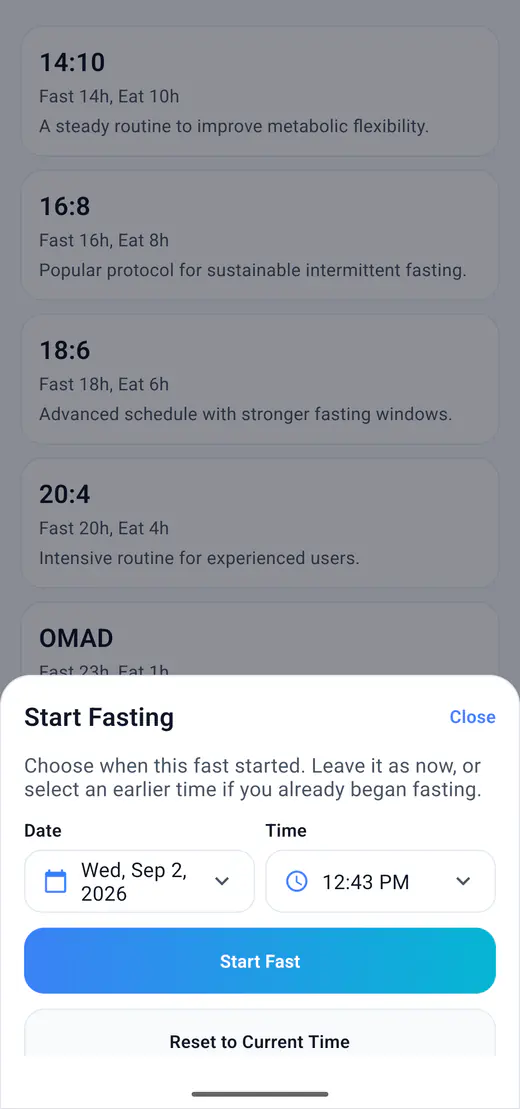
Reminders help for the same reason. HydroFast can notify you when it is time to start a fast and again when the fast completes, which turns the anchor into something the phone holds rather than something you have to remember.See how HydroFast reminders work.
How to tell whether the schedule fits your life
Judge a fasting schedule on whether you can keep it, not on any single day's result. Three practical signals show up quickly in your own records:
- Completion. How many fasts you finished versus started over two weeks. Consistently ending early is information about the schedule, not about you.
- Weekday and weekend split. If the schedule only holds Monday to Friday, a shorter weekend window is usually more sustainable than an abandoned one.
- What happens to your drinking. Water intake often falls during longer fasts simply because it is no longer attached to meals.
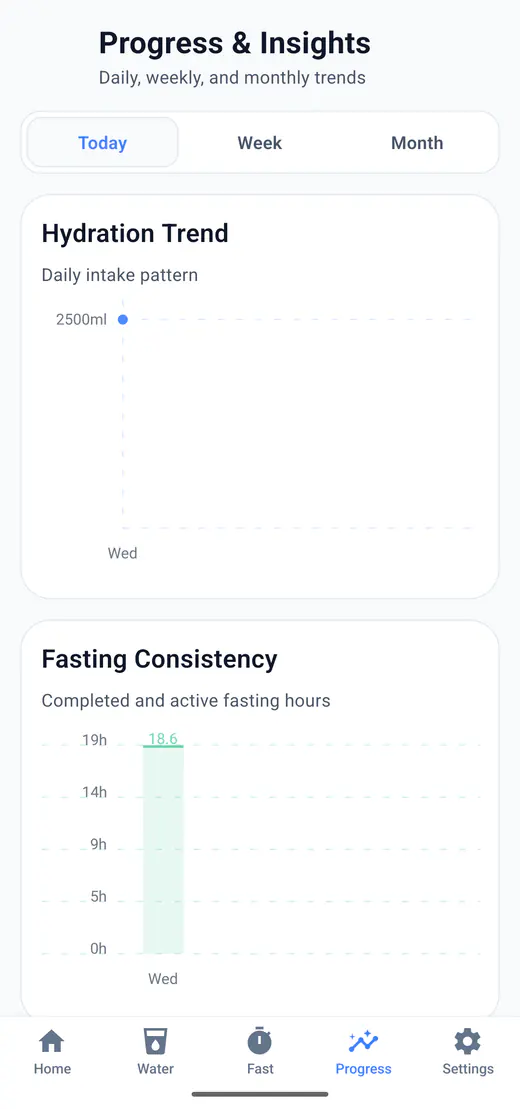
That last point is easy to miss when fasting and hydration live in separate apps. If you want the longer view, the Today, Week, and Month progress views group both habits over the same period, and the guide to building a water drinking habit covers the drinking side in more detail.
Common mistakes when choosing a fasting schedule
- Copying a window that belongs to someone else's working hours
- Starting at 18:6 in the first week instead of building up to it
- Letting the start time drift by two or three hours every day
- Planning the fast carefully and ignoring what you drink during it
- Treating one missed day as a reason to abandon the schedule
The first one is worth dwelling on. A window that works beautifully for someone who works from home and eats at 1pm may be unworkable for someone whose lunch break is fixed at 11:30am. Borrow the method, not the hours.
Tracking your schedule in HydroFast
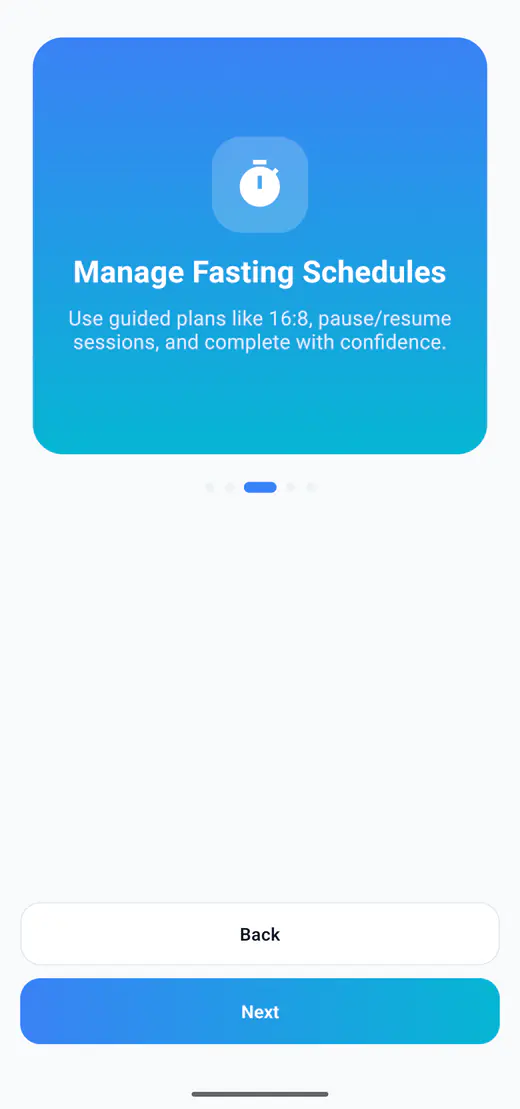
Once you have a window, the tracking job is small: start the fast at the same time, see where you are, and keep a record you can look back on. HydroFast includes 12:12, 14:10, 16:8, 18:6, 20:4, and OMAD as presets, plus a custom plan where you set your own fasting and eating hours. Custom plans are checked so the two windows add up to a full 24 hours.
During a session the timer shows elapsed time, remaining time, the current status, and when the eating window opens. Sessions can be paused, resumed, and ended, and completed fasts are kept in your history as a chart, as total hours, and in the history timeline.
Fasting Tracker
Fasting plans, the live timer, session controls, eating window information, and history.
What to look for in a fasting app
The features that matter once you know which schedule you want to follow.
Fasting start and finish alerts
Set up morning and completion reminders and troubleshoot missing Android notifications.
Can you drink water while fasting?
What breaks a fast, what doesn't, and how much water helps during a fasting window.
HydroFast FAQ
Answers about plans, timer behavior, reminders, progress views, and device storage.
Intermittent fasting schedule FAQ
What is the easiest intermittent fasting schedule to start with?
12:12 is usually the easiest starting point because a 12-hour eating window rarely requires dropping a meal. If 12:12 already fits your day without effort, 14:10 is the next small step.
Does sleep count toward intermittent fasting hours?
Yes. The hours you spend asleep are part of the fasting window, which is why a 12-hour fast often needs no change to your routine at all. Someone who stops eating at 8pm and wakes at 7am has already fasted 11 hours.
What is the difference between 16:8 and 18:6?
Both describe the same 24 hours split differently. 16:8 fasts for 16 hours and leaves an 8-hour eating window; 18:6 fasts for 18 hours and leaves 6. In practice the two extra fasting hours usually come off the start of the window, pushing your first meal later.
What time should my eating window start?
Work backwards from the meal you are least willing to move, which for most people is dinner. Fix the end of the window there, subtract the length of the window, and the start time is whatever remains.
Can I use a different fasting schedule on weekends?
You can, though a window that moves every few days is harder to keep. If weekends genuinely look different, many people hold the same schedule on weekdays and use a shorter fast such as 12:12 at the weekend rather than skipping entirely.
Does HydroFast support custom fasting schedules?
Yes. Alongside the 12:12, 14:10, 16:8, 18:6, 20:4, and OMAD presets you can set your own fasting and eating hours, and HydroFast checks that the two windows add up to a full 24 hours before saving the plan.
Wellness disclaimer
HydroFast is a wellness and habit-tracking app. It does not provide medical advice, diagnosis, treatment or medically supervised fasting plans. Fasting may not be suitable for everyone. Consult a qualified healthcare professional before making major changes to your diet, fasting routine, medication or health plan.