
Ounces or milliliters
Choose oz or ml in Settings. Your recorded intake stays the same.
HydroFast for Android
Log water in ounces or milliliters, manage your fasting timer, and see your daily progress in one Android app. Set reminders around your routine and keep your tracking history on your phone.
Currently free. No account required.
Choose oz or ml in Settings. Your recorded intake stays the same.
Set up your preferences on your phone and start tracking.
Schedule prompts and respond from notifications.
Logs, sessions, and preferences remain on your Android phone.
Interactive product tour
Choose a topic to see how HydroFast brings water, fasting, reminders, and daily progress together on Android.
Hydration
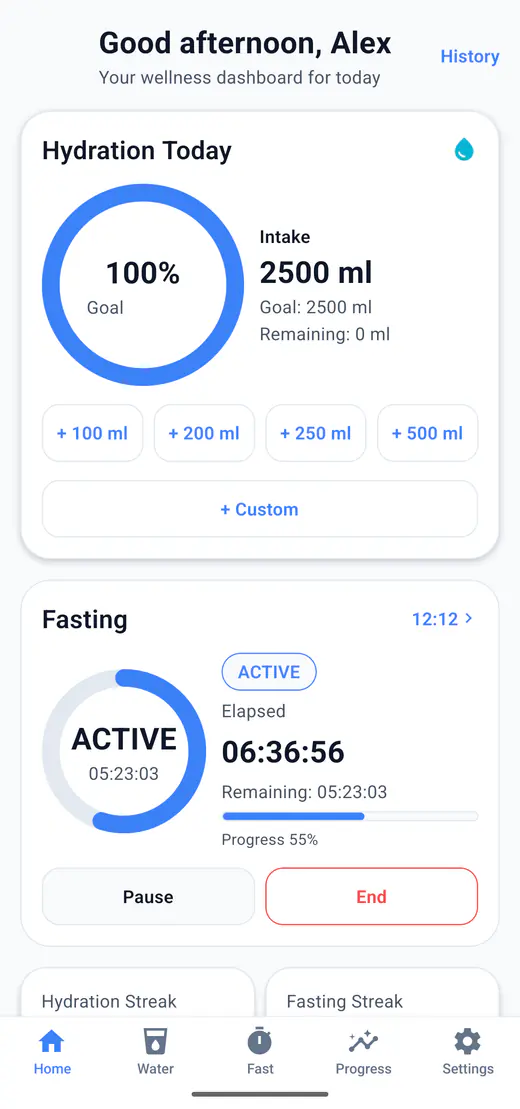
Log common amounts quickly, correct an entry when needed, and keep the daily goal visible.
Fasting
Follow the active session, see elapsed and remaining time, and choose a routine that fits your schedule.
Reminders
Set hydration and fasting prompts around your routine, then respond quickly when a reminder appears.
Progress
Move from weekly context to a longer monthly view without separating hydration and fasting activity.
Achievements
Use streaks and achievement milestones as simple motivation for keeping water and fasting records up to date.
Personalization
Choose the goals, schedule, units, fasting plan, and appearance that make daily tracking feel familiar.
A simple daily flow
Track water, run a fast, stay on schedule, and see progress without moving between separate habit apps.
Track water
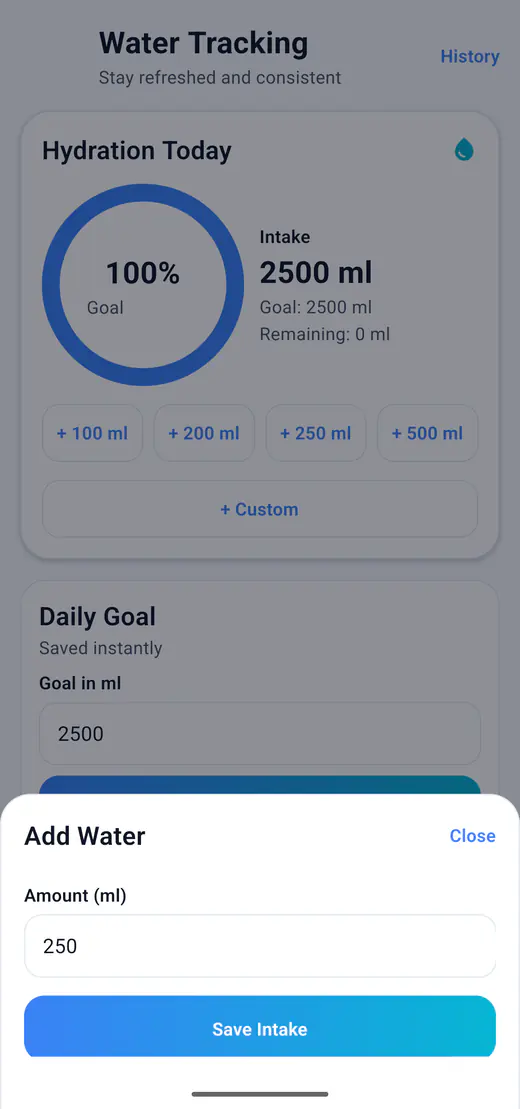
Choose oz in Settings, open Water, and tap + Custom to enter the amount you drank. Half of a 32 fl oz bottle? Log 16 oz. Your goal, remaining water, and saved entries stay together.
Run a fast
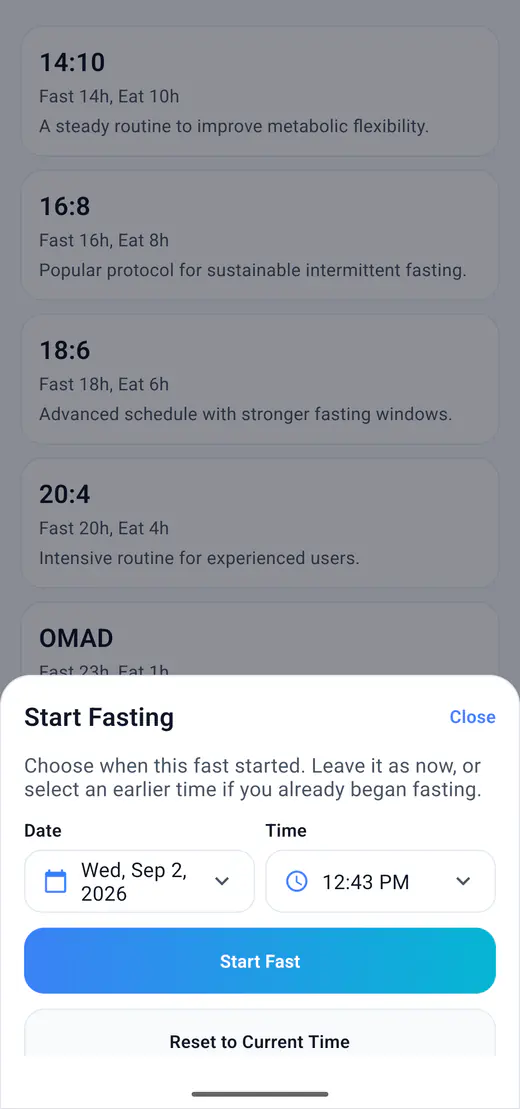
Give a new fast its actual start date and time. On a 16:8 plan, an 8 PM start leaves five hours at 7 AM the next day, assuming no pauses or clock changes. The timer follows your recorded start.
Stay on schedule
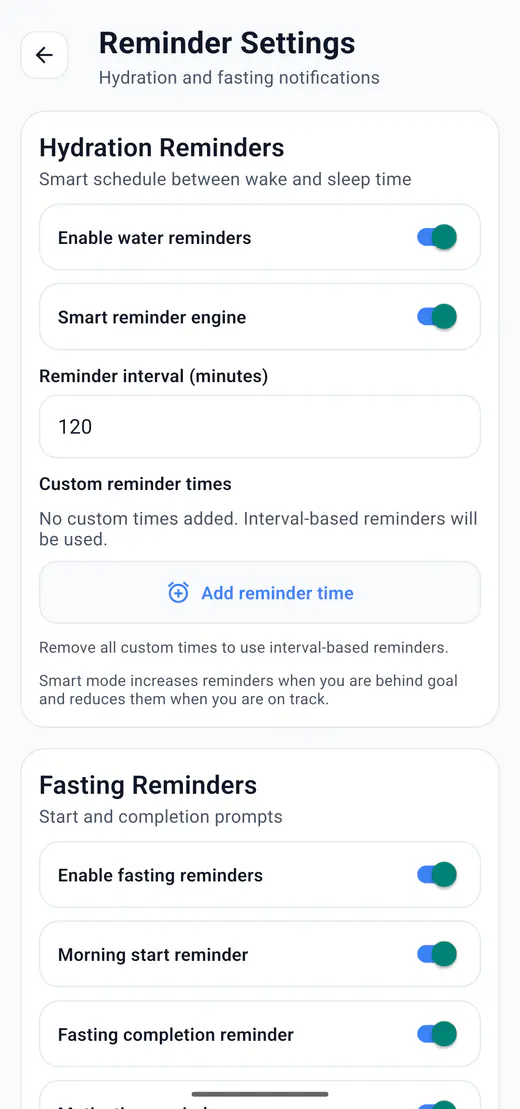
Hydration intervals, custom reminder times, and fasting prompts help keep daily tracking visible without requiring a remote push notification service.
See progress
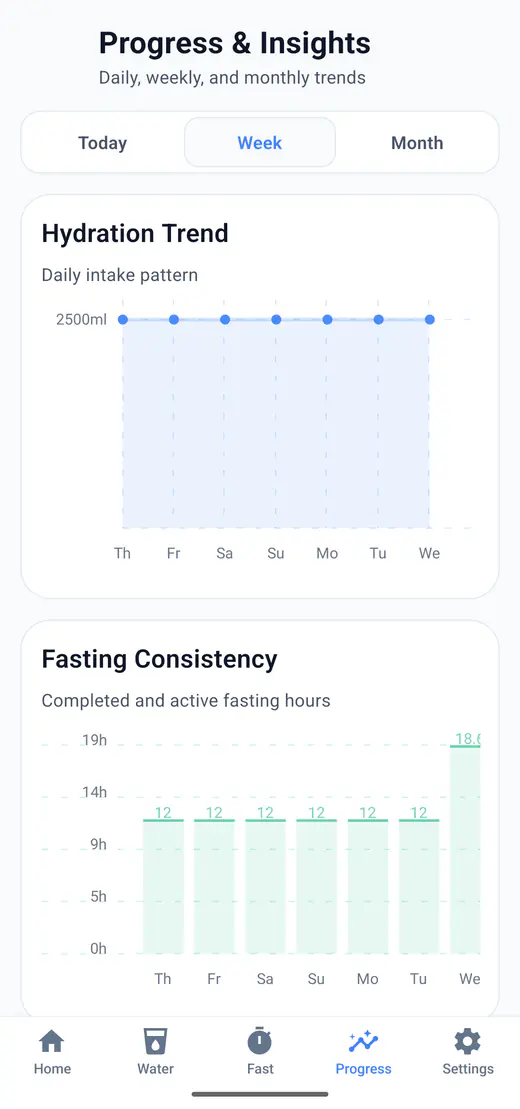
Move between Today, Week, and Month views to review hydration and fasting activity, then use history, streaks, and achievements for context.
Ready when your routine is
A direct answer
HydroFast is an Android app for tracking daily water intake and intermittent fasting in one place. It combines quick water logging, fasting session controls, reminder settings, progress charts, streaks, achievements, and Android quick actions.
No sign-in is needed for tracking. Voluntary support requests send information so we can reply. See what stays on your device.
HydroFast is a wellness and habit tracking app. It does not provide medical advice, diagnosis, or treatment.
Personal from the first screen
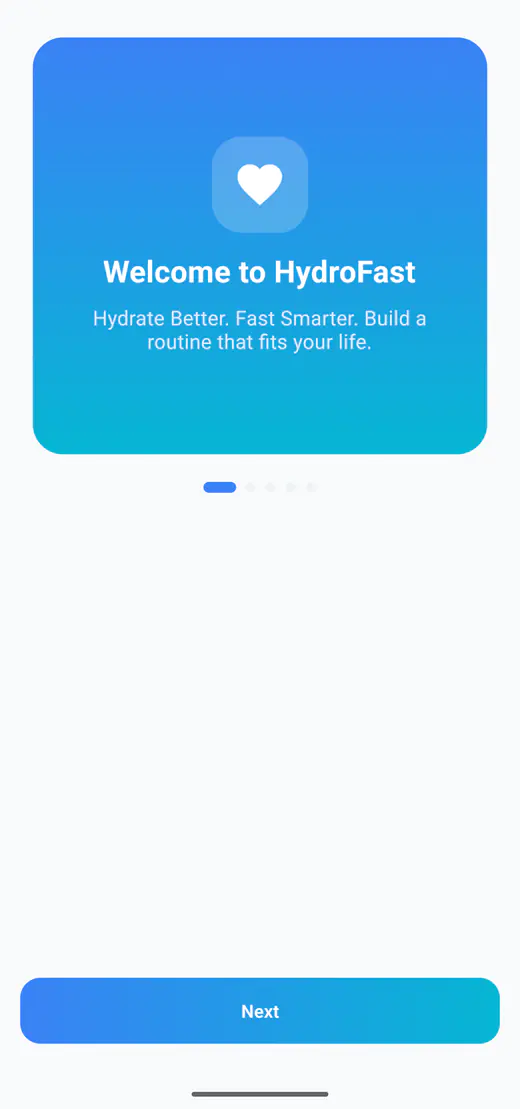
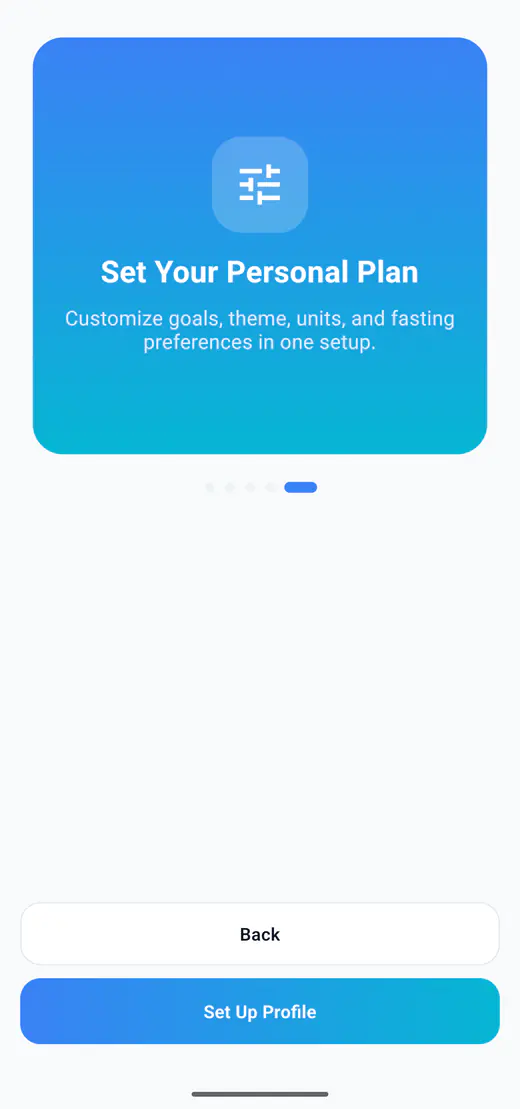
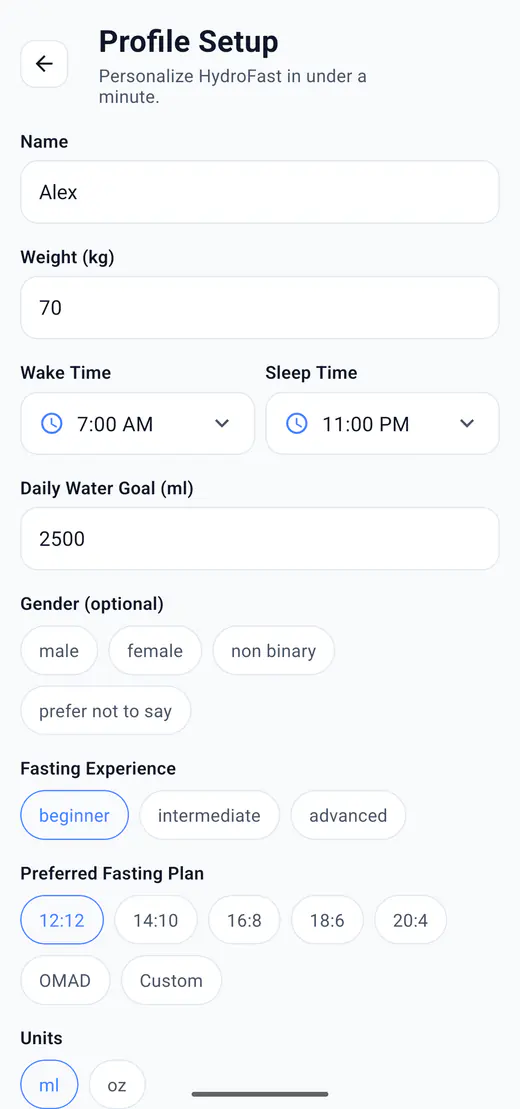
Set the details that shape daily tracking once, then keep the app focused on the plan, units, schedule, and appearance you selected.
Consistency without pressure
Reminders bring the routine back into view, history records what happened, and achievements mark simple tracking milestones.
Choose hydration intervals, custom times, and fasting prompts from one settings screen.
Learn moreReview water logs and fasting sessions together, or focus on either activity.
Learn more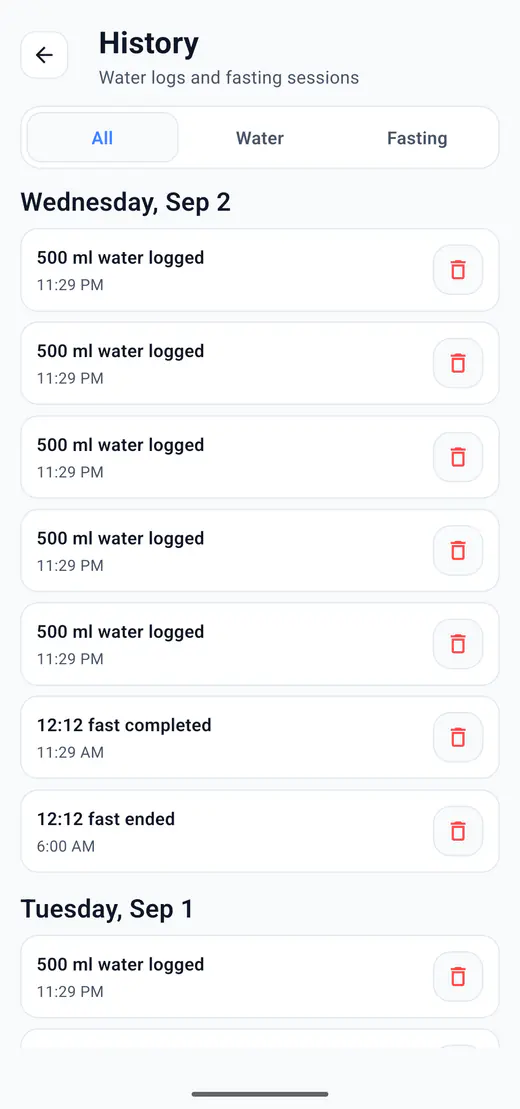
Use streaks and achievement badges as simple motivation for consistent tracking.
Learn more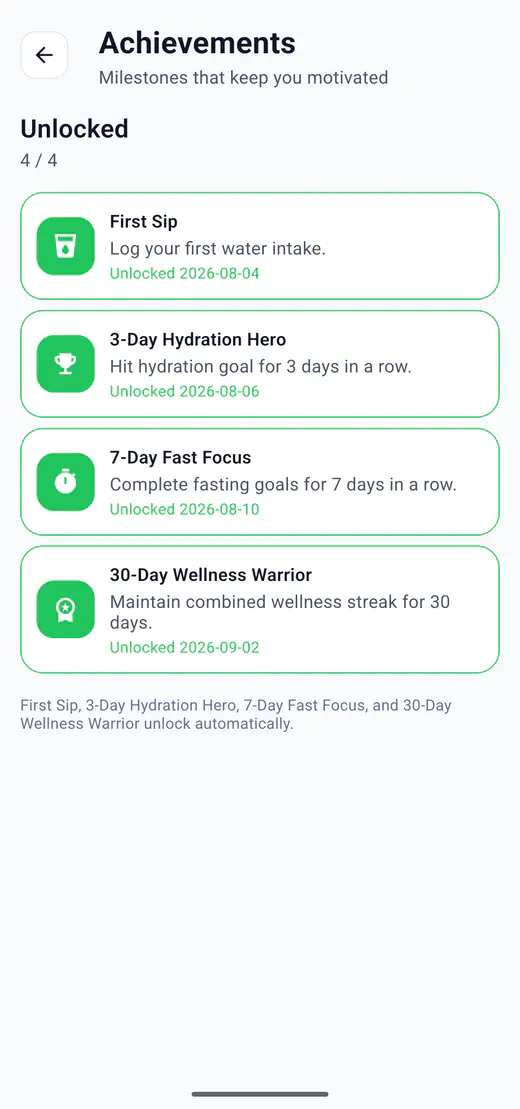
The same focus, in every mode
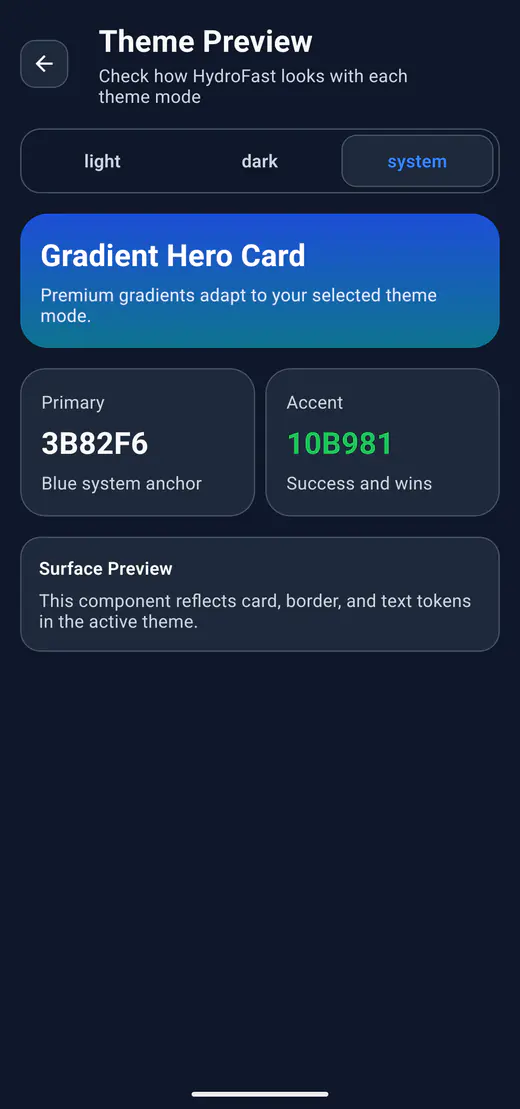
HydroFast supports light, dark, and system appearance modes, so the app can follow the way your Android device already looks.
Explore all HydroFast features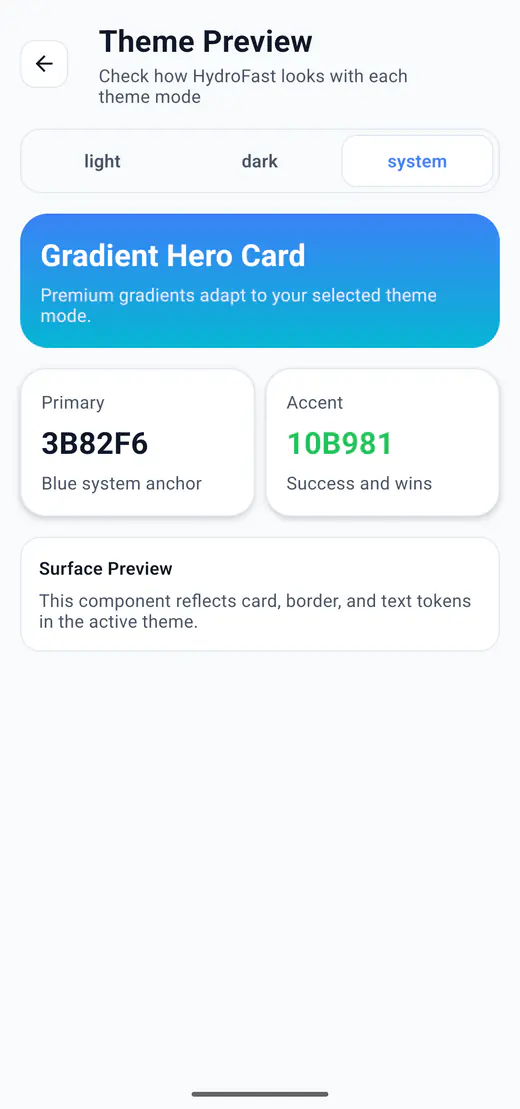
Fasting and hydration together
HydroFast gives Android users one place to track water intake and intermittent fasting sessions. Quick water logging, flexible plans, a live fasting timer, reminders, history, and progress insights stay connected without turning the app into a medical service.
The focus is practical habit tracking: record what happened, see the current status, and review consistency over time.
Practical Android guides
Two guides cover combined tracking and reminder schedules, so you can judge whether HydroFast fits before installing it.
Google Play Reviews
5.0 on Google Play · 36 ratings · 35 written reviews
HydroFast is an Android hydration and intermittent fasting tracker. The reviews below are selected genuine reviews written by Google Play users.
HydroFast has been really helpful for me, especially during busy workdays. I often get so focused on work that I forget to drink enough water during my eating window while intermittent fasting. The hydration reminders help me stay on track, and having both water tracking and fasting in one app makes everything much easier to manage. Simple, useful, and great for building a consistent routine.
HydroFast is a great combination of a hydration tracker and intermittent fasting tracker. Logging water is quick, fasting schedules are easy to manage, and the progress stats make it simple to see how consistent you’ve been. I also like the clean interface and the ability to customize goals and reminders. Very useful for everyday habit tracking.
I use HydroFast every day to keep track of my water and fasting. The reminders help me stay on track, and I really like the reports because I can easily see how I’m doing over time.
Great in its simplicity I was looking for a simple app to track and manage my fasting cycles, and I’ve just found this one. I would gladly pay once for a lifetime Pro version if it allowed me to set a start time earlier than the current time, for those moments when I forget to log it straight away, and to delete unnecessary logs from the history. Updated 20th July 2026 Amazing update. This app is great. To anyone who wants to control hydration and fasting this is the app!
I requested a feature from this HydroFast application, and I was really impressed with the response. The team contacted me personally, listened to my request, and implemented the feature in a very short time. It’s rare to see developers who are this responsive and genuinely care about user feedback. Great app, excellent support, and an amazing development team. Highly recommended! 👏
This app is simple, clean, and very effective for tracking water and fasting. It helps me stay consistent with my fasting schedule and reminds me to stay hydrated throughout the day. The interface is easy to understand, even for beginners, and I really like how it shows progress clearly without unnecessary complexity. It keeps me disciplined and focused on my health goals. Overall, a very useful app for anyone serious about intermittent or water and fasting. Highly recommended
Clear answers
Cost, accounts, ounces, offline use, and the fasting controls to check before you install.
HydroFast is an Android hydration and intermittent fasting tracker for keeping daily routines organized.
Yes. HydroFast is currently free to use on Android, with no purchase required for water tracking, fasting timers, reminders, or progress history.
No. You complete a local profile setup, but do not create an account or sign in. Tracking data stays on your device. Sending a voluntary Help and Support request shares the information needed to handle that request.
Yes. In HydroFast, open Settings, find Units, and choose oz. Water amounts use US fluid ounces, with 1 fl oz equal to about 29.57 mL. You can switch back to ml without changing the amount of water recorded in your history.
Yes. Core water and fasting tracking works from data stored on your device, and reminders are scheduled locally. Downloading the app and sending a Help and Support request require internet access. There is no cloud sync or backup-and-restore feature.
Yes. Before starting a session, select a fasting plan and choose Set custom start time. Pick the date and time when your fast began, then start the session. Future start times are not accepted. This sets a new session's start time; it does not edit an existing fast.
Yes. Water logs and the fasting timer run independently, so you can keep logging water through a fast.
Yes. 16:8 is a preset, next to 12:12, 14:10, 18:6, 20:4, OMAD, and a custom option.
Android app
HydroFast is currently free to use for water tracking, fasting sessions, reminders, history, and progress insights.
Clear Android habit tracking
HydroFast focuses on practical water, fasting, reminder, and progress tools without medical claims.